
Chapter 17 · 17.10
Monitoring expiry dates: red if expired, orange within 30 days
Contracts, subscriptions, certificates, inspections, shelf life: you want to see at a glance what has already expired and what expires soon. In Colour the whole row when the invoice is paid you colour a row based on text such as "Paid". Here you colour based on a date compared with today, using two rules that together form a traffic light.
As an example, we use the flower subscriptions of Bloemisterij Het Zonnetje: column A holds the customer, B the bouquet and C the end date, from row 2 to row 8.
Rule 1: red if expired
- Select A2:C8: the whole list without the header row, so the entire row is coloured.
- On the Home tab, click Conditional formatting and choose New rule.
- Choose Formula as the type and enter: =AND($C2<>"",$C2<TODAY())
- Choose a red fill colour for the format and click OK.
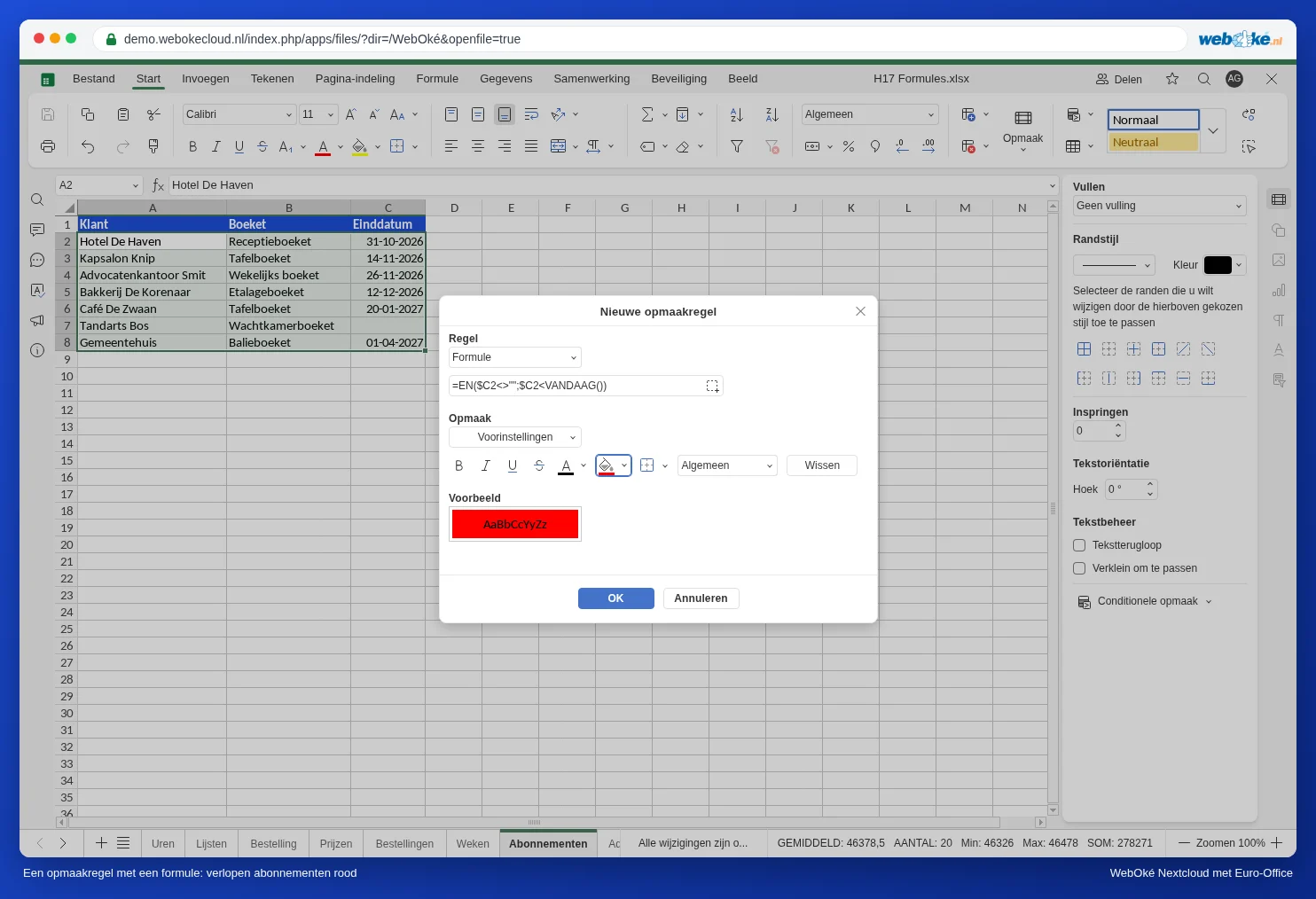
AND makes sure both conditions must be true: there is an end date, and it is before today. Without the first part, an empty end date would also turn red, because an empty cell counts as the very first date.
Rule 2: orange within 30 days
Select A2:C8 again and create a second rule with the formula =AND($C2>=TODAY(),$C2<=TODAY()+30) and an orange fill colour.
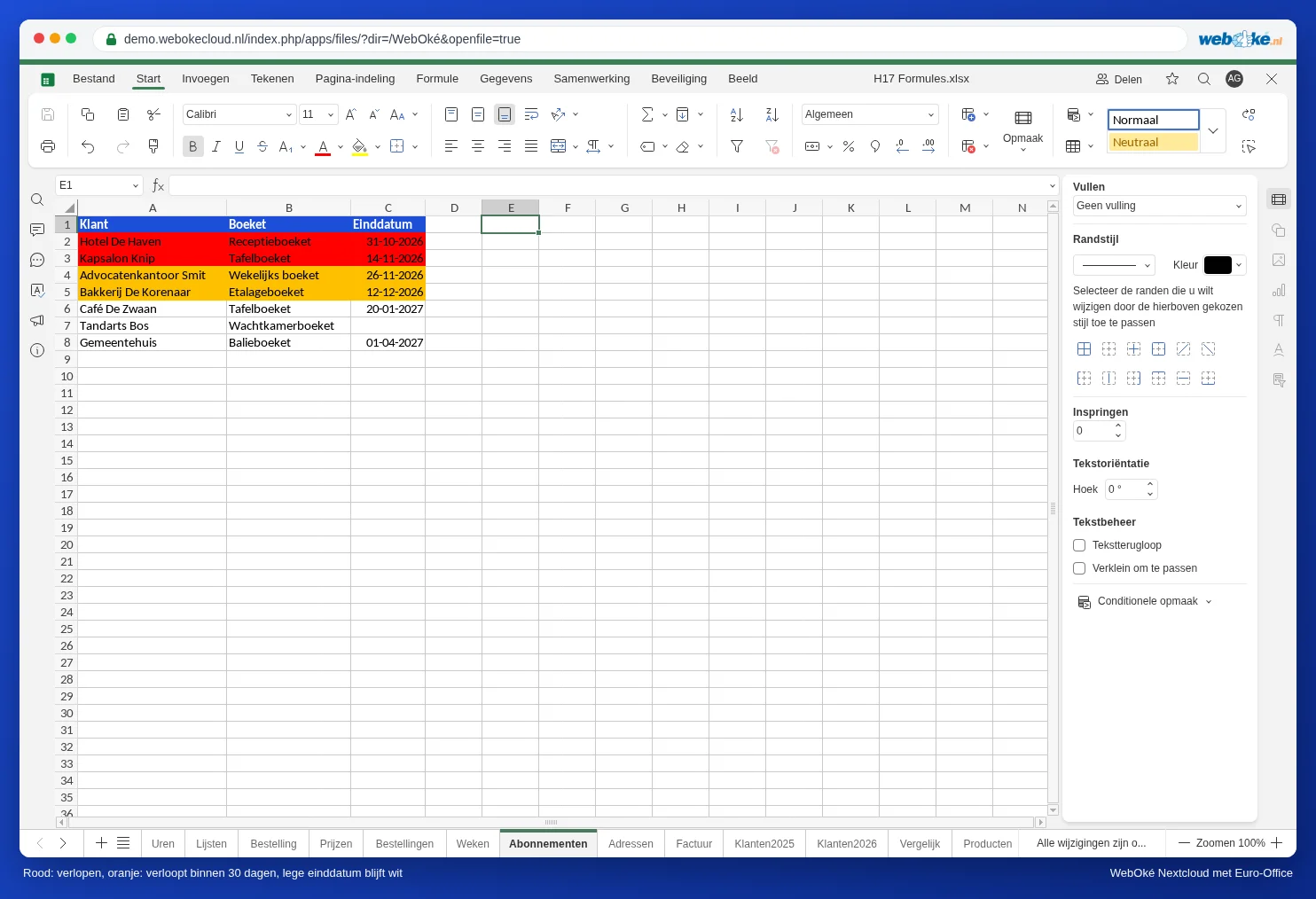
Every day you open the file, TODAY() recalculates. So the colours shift automatically.
Checking or changing rules
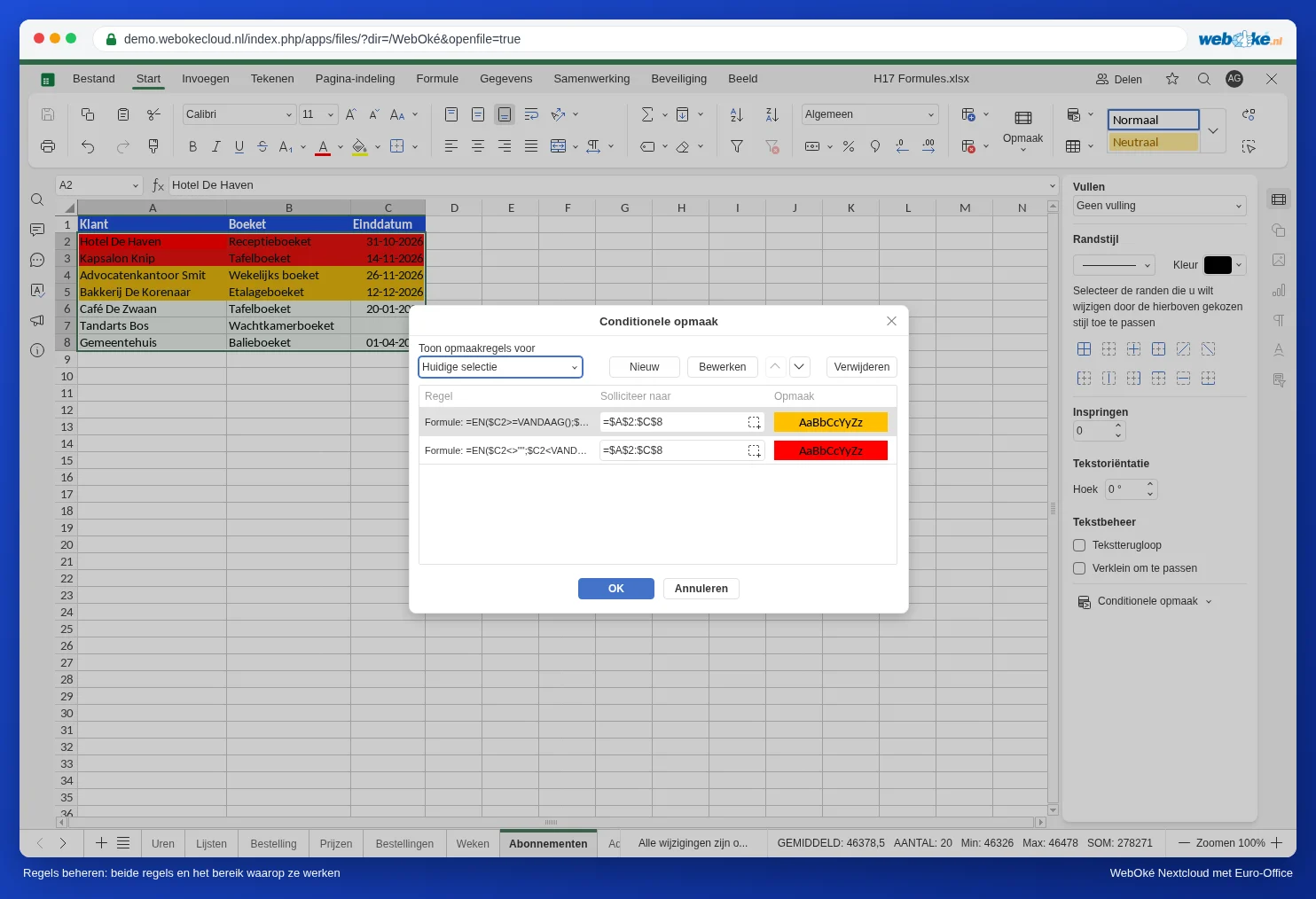
Choose Conditional formatting, Manage rules. You see all rules for the selection. The range a rule applies to is shown in the Apply to column. Use Edit and Delete to change or remove a rule, and the arrows to change the order. A rule higher in the list takes priority. In this example the rules don't overlap, so the order doesn't matter. If you add a rule that does overlap (for example "within 7 days" in dark red), put it at the top.
More variations
- Working days instead of calendar days: =AND($C2>=TODAY(),$C2<=WORKDAY(TODAY(),20)) colours everything that expires within 20 working days.
- Weekends grey in a schedule with dates in row 1 from B1: select the entire schedule area and use =WEEKDAY(B$1,2)>5. Now the dollar sign goes before the 1, because the date is in row 1.
- Highlight today in the same schedule: =B$1=TODAY().
Pitfalls
- The dollar sign goes before the column: $C2. Without a dollar sign, each column looks at a different column; with $C$2, everything looks at the same cell.
- Start at the first row of your selection: if you select from row 2, the formula refers to row 2.
- Dates stored as text (left-aligned) don't get coloured. Convert them first: see Dates that come in as text or have day and month swapped.
- No notification: Euro-Office doesn't send an email or reminder when something expires. You only see it when you open the file. If you want a reminder, also add the most important dates to your calendar in your WebOké Nextcloud.