
Chapter 10 · 10.2
Download and install on Windows (x64 and ARM64)
Here's how to set up Nextcloud Office on a Windows computer. The installation file is about 600 MB in size.
Which version do you need?
Nextcloud Office is available for 64-bit Windows in two versions:
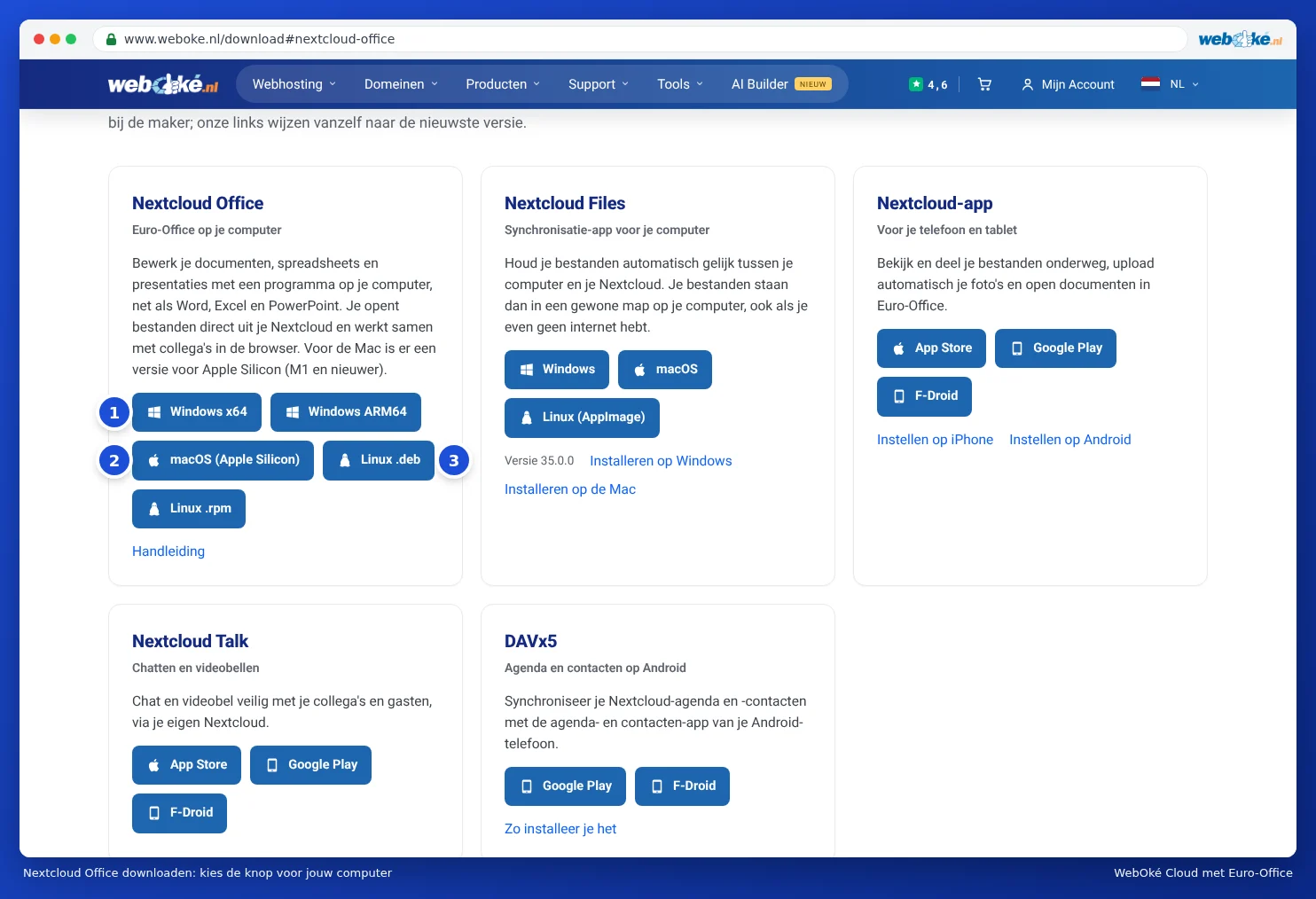
- Windows x64 (1): for almost all PCs and laptops, with an Intel or AMD processor.
- Windows ARM64: only for computers with an ARM processor, such as laptops with a Snapdragon chip.
Not sure which one you need? Click Start, then Settings, System and About. Under System type, you'll see "x64" or "ARM". If you're using an older 32-bit version of Windows, the program won't work; use the browser version instead.
Downloading
- Go to www.weboke.nl/download.
- Under Nextcloud Office, click Windows x64 or Windows ARM64. You can also use these links directly: Windows x64 or Windows ARM64.
- The file will be saved to your Downloads folder. It's named something like Nextcloud-Office-DesktopEditors-latest-windows-x64.exe.
Installing
- Double-click the downloaded file.
- Windows will ask whether the program can make changes. Click Yes. You'll need administrator rights on the computer to do this.
- Follow the steps in the installer. You can leave the suggested settings as they are.
- After installation, you'll find Nextcloud Office in the Start menu.
When you start the program for the first time, you'll see the start screen. On the left, you'll find options including Create new, Recent files, Open local file, Connect to cloud and Settings. You can read how to connect the program to your WebOké Nextcloud in Linking the program to your WebOké Nextcloud.
Language and display
Is the program showing in English? Click Settings on the left and choose Dutch or your preferred language under Interface language. The new language will apply once you restart the program. Under Interface theme, choose light, dark, or match your system.
Updating
The program can check for new versions itself. Under Settings, you can set whether Updates happen automatically or whether you're notified first. You can also always download the latest version using the button on our download page and install it over the old one.
Please note: on a work computer, you often can't install programs yourself. In that case, ask your system administrator, or use the browser version instead.