
Business details, image rights, AI texts and accessibility
Module 7: Privacy and rules · Reading time: 12 minutes
Learning objective: After this lesson you can put the required business details on your site, judge whether you may use a photo, recognise the AI's placeholder content as something you need to replace (and understand why made-up reviews are prohibited), and make your site more accessible with image descriptions, contrast and clear text.
Key concepts: information society service, business details, VAT identification number, misleading commercial practice, blacklist, fake review, copyright, portrait rights, accessibility, alt text, contrast
This lesson explains the rules as they apply on 10 November 2026. It is not legal advice. If you are unsure about your situation, ask a lawyer or your trade association.
Who you are: the required details
In legal terms, a business website is an information society service. For anyone offering such a service, the EU Directive on electronic commerce (2000/31/EC, Article 5) says that visitors must be able to find certain details easily, directly and permanently. In the Netherlands this is set out in Article 3:15d of the Dutch Civil Code. These rules come from EU law; other countries have their own implementation and their own regulator. The details are:
- your name (identity) and your business address;
- details for quick and direct contact, including your email address;
- if you are listed in a trade register: the register and your registration number (in the Netherlands, your Netherlands Chamber of Commerce (KVK) number);
- if you are registered for VAT: your VAT identification number;
- if your profession or activity is subject to a licence or professional rules: the details of those.
The second paragraph adds: if you mention prices, state clearly whether VAT and any extra costs are included.
Two practical points. In the Netherlands, use the VAT identification number (btw-id) that starts with NL, not your turnover tax number (omzetbelastingnummer): for a sole proprietorship, the latter contains your citizen service number (BSN). And "permanently accessible" means: not tucked away on a single page nobody finds. The footer of your site is the natural place, because it appears on every page.
At Schildersbedrijf Example the footer looks like this: name, address, phone, email, "KVK" with the number and "VAT ID" with the number. The Pricing page says "All prices include 21% VAT", because the painter mainly works for private customers.
In the builder you add details to the footer through the chat ("put our KVK number and VAT ID in the footer: ...") or by editing the text yourself. Also fill them in under SEO > Business details for Google (lesson 6.3). The Create privacy statement button (lesson 7.1) automatically finds a KVK number that appears in the text of your site.
The AI's placeholder content: you make it real
The first version of your site deliberately contains placeholder content: made-up prices, opening hours, reviews, team members, sometimes a year ("since 1998") or a guarantee. That is not a mistake: the AI creates a complete setup so you can see what the site could look like. In lesson 2.4 you learned how to find these spots. Here we look at why you must replace them before your site really goes live.
Your site is advertising for your business, and advertising is subject to the rules against misleading commercial practices (EU Unfair Commercial Practices Directive, 2005/29/EC; in the Netherlands, Section 6.3.3A of the Dutch Civil Code). A price you don't charge, a guarantee you don't give or a team that doesn't exist misleads a customer. Some practices are on the blacklist: they are always prohibited, whatever the circumstances. Since 28 May 2022 this list includes (Annex I, point 23c of the directive; in the Netherlands, Article 6:193g under aa of the Dutch Civil Code): posting false consumer reviews or endorsements, or presenting real reviews in a misleading way. A review made up by the AI from "Marieke uit Example" is exactly that, even if you only meant it as filler. Showing a trust mark or quality label without the required permission is also on that list.
What the builder does for you: standard placeholder texts in sections (such as "Put here what a customer said about you" and "Customer name") and spots like [fill in] block Go live with the message "Your site still contains placeholder text". What it cannot do: recognise a believable review, price or opening time that the AI wrote itself. Only you can find those.
Here's how to tackle it:
- Read every page and underline every fact: price, time, year, number, name, guarantee, trust mark, review.
- If it's wrong or you're not sure: replace it with the real information or remove it.
- Reviews: only real ones, with the customer's permission to show their name and text (a name is personal data). If you don't have any yet, remove the section. The Netherlands Authority for Consumers and Markets (ACM) also asks you to state where reviews come from; a widget from a review service often does this already.
- Phone
06 12345678and addresses with example.com are examples: replace them.
Image rights: may you use this photo?
Under Article 1 of the Dutch Copyright Act (Auteurswet), the maker of a photo has the exclusive right to publish and reproduce it. A photo you find through a search engine is therefore not free to use. Use:
- your own photos, or photos from a photographer with whom you agree in writing that you may put them on your site;
- image libraries with a licence that allows business use on a website;
- images the builder's AI creates for you.
Be careful with Redesign an existing site: the builder takes over photos from your current site. If you got them from a previous web designer or an image library, check whether the licence also covers your new site.
If a person is recognisable in the photo, portrait rights also apply. If the photo was taken on that person's commission, you need permission to publish it (Article 20 of the Dutch Copyright Act). Without a commission, publication is not allowed if that person has a reasonable interest in objecting to it (Article 21). In practice: ask employees and customers for permission in advance, preferably on paper or by email, and remove a photo if someone asks you to. A photo of a recognisable person is also personal data under the GDPR.
With AI images: don't pass off a generated "team photo" as your real team. If you choose Automatic when building, the AI uses illustrations where people or animals would otherwise appear. If you want to show real people, use your own photos.
Accessibility
An accessible site also works for people with poor eyesight, people who use a screen reader or only a keyboard. Since 28 June 2025 the European Accessibility Act (Directive (EU) 2019/882) applies to certain products and services for consumers, including e-commerce such as online shops. Not every site falls under it: an informational site without online sales usually doesn't, and micro-enterprises (fewer than 10 employees and an annual turnover or balance sheet total of no more than 2 million euros) that provide services are exempt. Schildersbedrijf Example, with two employees and a site without an online shop, is therefore outside its scope. If you're unsure about your business, look it up.
Required or not: working accessibly is good for everyone and also helps search engines. The builder helps you with these points:
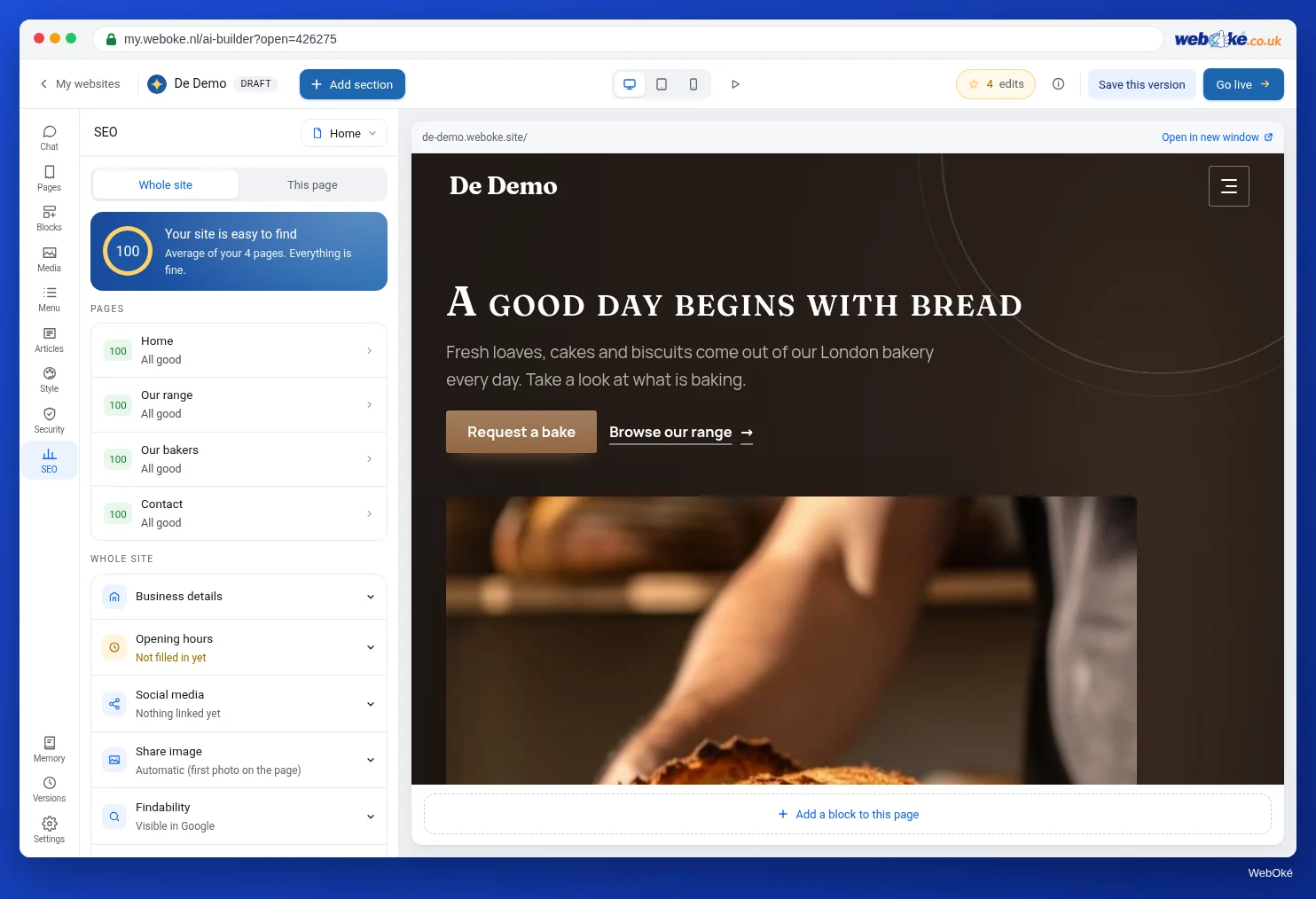
- Image descriptions (alt texts): open the Media panel, click a photo and fill in what it shows under Description, for example "Painter varnishing a green front door in Example". The SEO panel shows how many photos still have no description.
- Contrast: the branding adjusts colours so text stays readable. If you pick a colour yourself that makes text hard to read, the builder tells you.
- Font size: ask in the chat "make the text bigger" (three sizes for the whole site).
- Motion: in Branding, choose On, Calm or Off under Motion. If a visitor has set reduced motion on their device, everything stays still.
- Clear link texts and buttons: "Request a quote" says more than "Click here", including for a screen reader.
In the builder: how to do it
- Put your name, address, email, KVK number and VAT ID in the footer and fill in SEO > Business details for Google.
- Check every page for made-up facts and reviews; replace or remove them.
- Check the source of every photo and, for people, their permission.
- Open Media and give every photo a Description; check in SEO that the message about photos without a description is gone.
- Put your site online again.
Summary
- Your name, business address, email, KVK number and VAT ID belong permanently on your site (Directive 2000/31/EC Article 5, in the Netherlands Article 3:15d of the Dutch Civil Code); with prices you state whether VAT is included.
- The AI's placeholder content is a setup: you replace every made-up fact. Made-up reviews are on the blacklist and are always prohibited.
- You only use other people's photos with a licence or permission; for recognisable people, portrait rights also apply.
- The European Accessibility Act applies to online shops among others, not to micro-enterprises that provide services; image descriptions, contrast and clear text are sensible either way.
Quiz
Exercise
Exercise A7.3: No placeholders, and alt texts in place. Replace all placeholder content, give every photo a description and put your details in the footer. Put your site online again and enter the web address of your AI Builder site. The program visits your pages like a visitor would and looks for anything that resembles placeholder content: text in square brackets, "lorem ipsum", the example number 06 12345678 and addresses with example.com. It checks whether every photo has a description (alt text) and whether your contact details are on the site. A made-up review that looks real can't be detected by the program: you check that yourself.
Further reading
- Free course: A web shop with WooCommerce 5.1: Who you are: information obligations and the Impressum
- Stating and checking your VAT identification number (Ondernemersplein, KVK; Dutch source, in Dutch): https://ondernemersplein.kvk.nl/btw-nummer-vermelden-en-controleren/
- Using reviews and ratings (Dutch ACM; Dutch source, in Dutch): https://www.acm.nl/nl/verkoop-aan-consumenten/reclame-en-verleiden/online-beinvloeden/reviews-en-beoordelingen-gebruiken
- Set title, description, and alt text per page
- Digitoegankelijk (Dutch government source, explanation of accessible websites): https://www.digitoegankelijk.nl/