
Chapter 10 · 10.5
Changing your mailbox password
You can change your mailbox password in the webmail or in DirectAdmin. Choose a strong password that you don't use anywhere else.
In the webmail
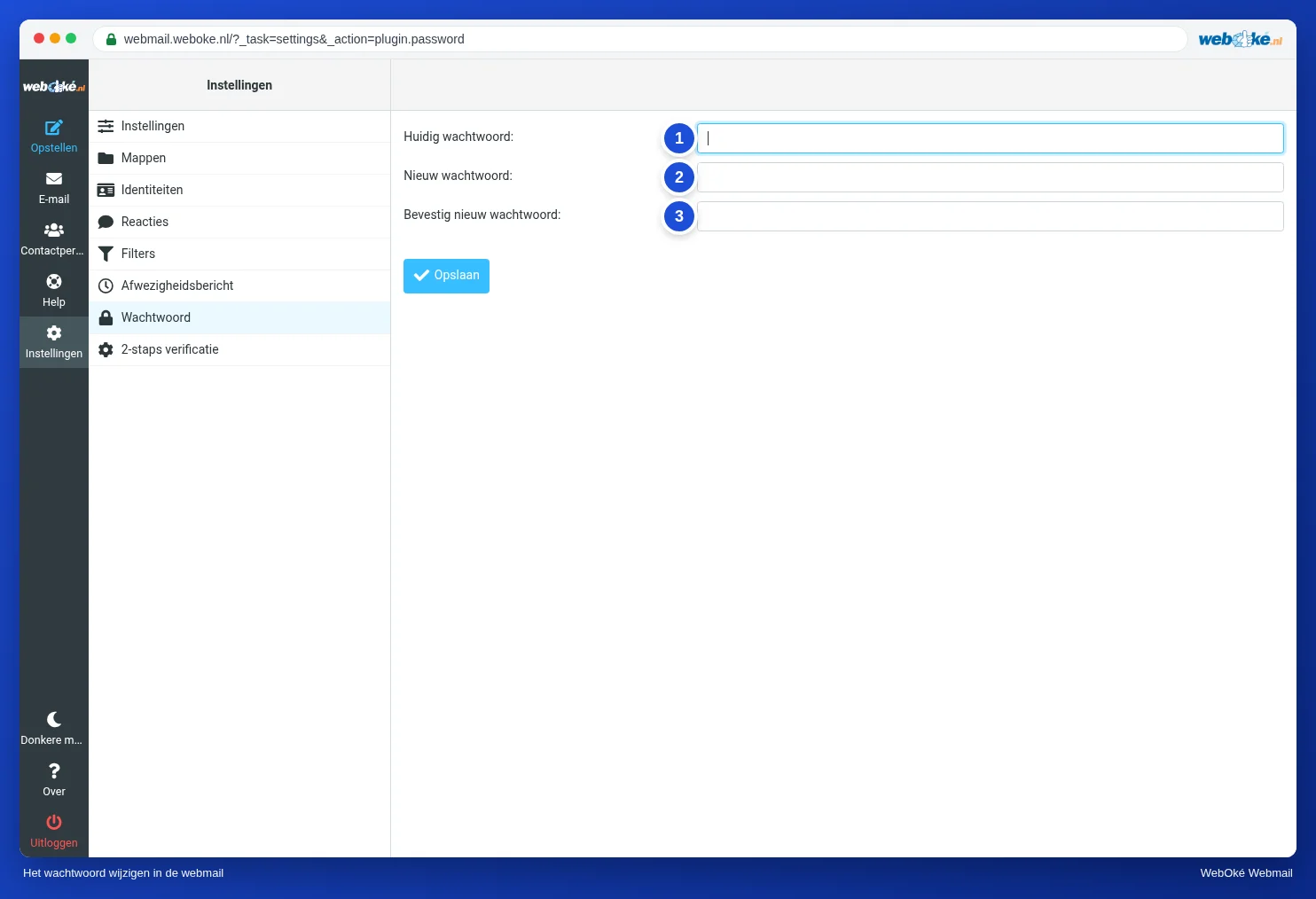
- Go to Settings and click Password.
- Enter your Current Password (1).
- Enter your new password twice (2 and 3).
- Click Save.
You'll see the message Successfully saved. From then on, the new password applies everywhere. Changing it in the webmail also works if you filled in the Server field when you logged in. Still seeing an error message? Choose a different, stronger password, or change it in DirectAdmin.
In DirectAdmin
Have you forgotten your current password, or does someone else manage your package? Then set a new password in DirectAdmin. You don't need to know the old one there. See Changing the password or limits of an email address and Changing the password of an email address.
After changing it
Please note: enter the new password on your phone, your tablet and in your email program as well. A device that keeps trying the old password will cause our firewall to block your IP address. Your website and the webmail will then be unavailable for a while from your own connection. See Am I blocked? Unblock your IP address yourself.
Tip: a password manager creates and remembers strong passwords for you. See Password managers and passkeys: how to log in securely.