
Chapter 3 · 3.1
Reading a message
Click a message in the message list. The message appears on the right. Unread messages are shown in bold in the list.
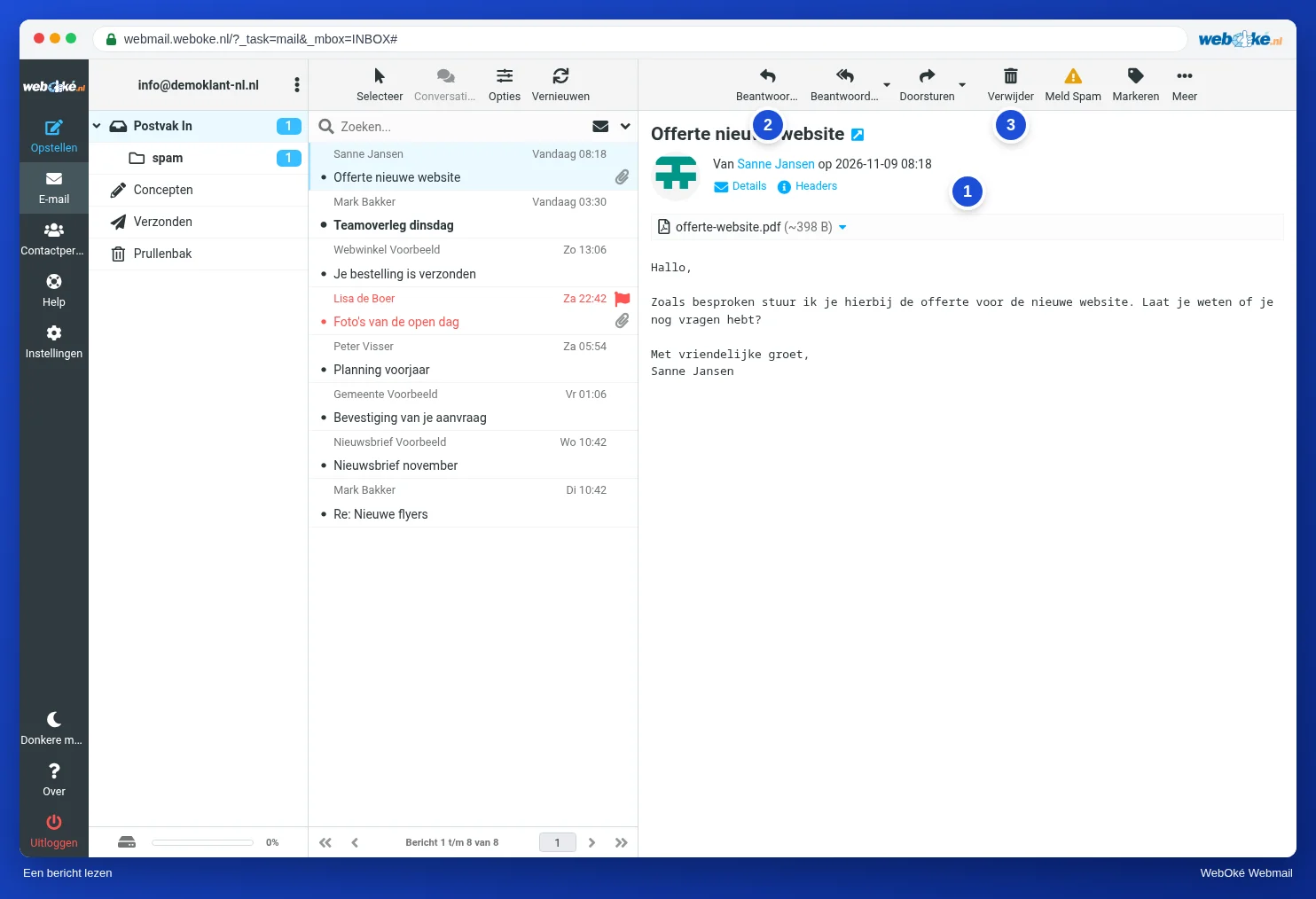
What do you see in a message?
- The subject, the sender and the date.
- Details: click this to also see the recipients and the sender's exact address.
- Headers: the technical header lines of the message. You need these if you want to know where an email really comes from. See Viewing and reading the headers of an email.
- Attachments are shown above the text. See Opening and saving attachments.
Use the buttons at the top to reply to (2) or delete (3) the message. Want to read a message in a larger view? Double-click it in the list.
Images and remote content
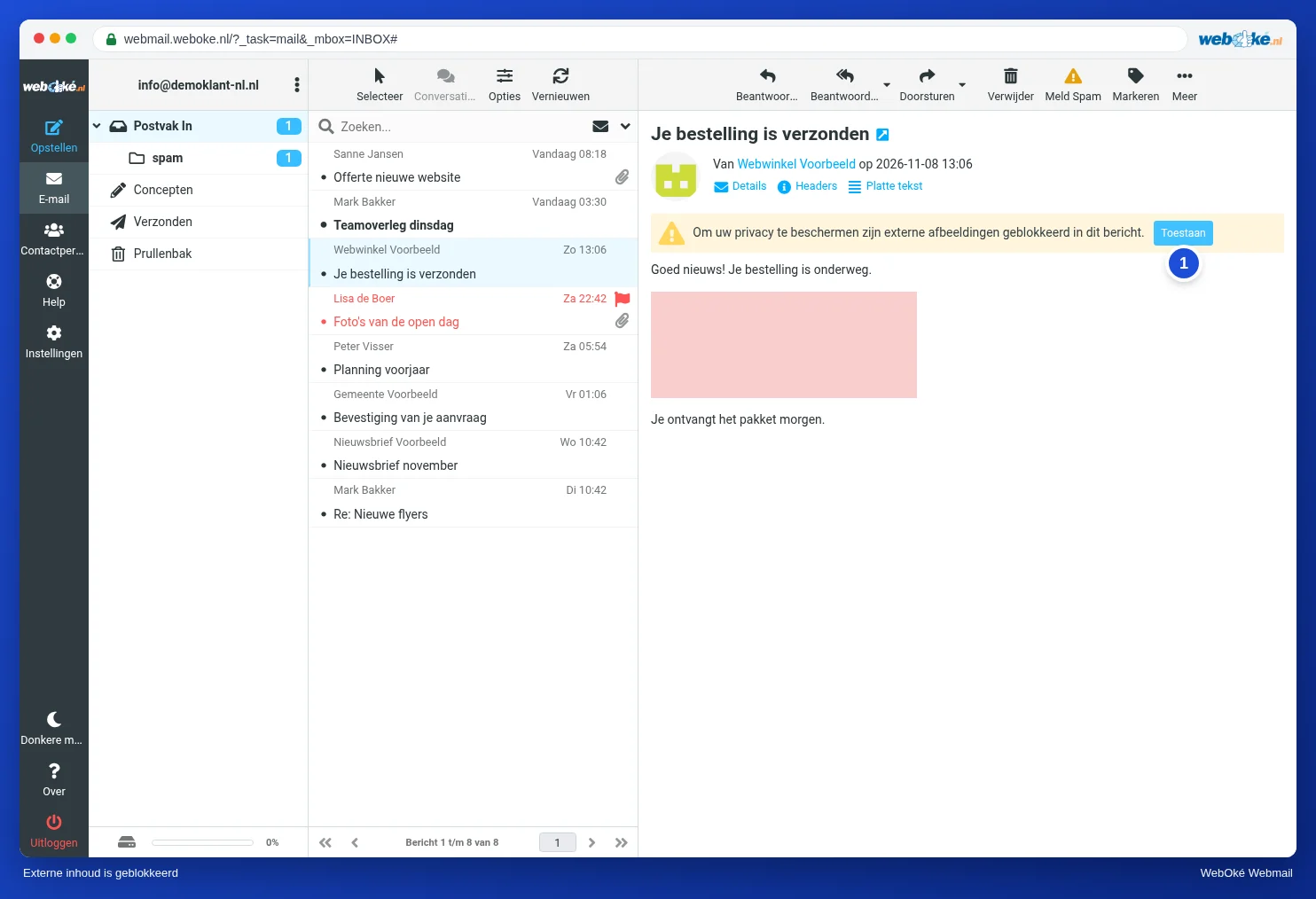
Many newsletters load their images from the internet. The webmail does not load these automatically. Instead, you see a yellow bar with a notice that remote images have been blocked. This way the sender cannot see whether and when you open their email, and hidden trackers are not loaded.
- Do you trust the sender? Then click Allow (1). The images of this one message are loaded.
- Not sure, for example with an unexpected email about a payment or a parcel? Then leave the images off and do not click any links.
Want the webmail to handle this differently, for example to always show images from senders in your address book? You can set this under Settings, Displaying Messages, see The most important settings.
Formatted or plain text
A formatted message (HTML) sometimes contains a Plain text link. Use it to see only the text, without formatting. This is handy if a message is displayed strangely.
Please note: not sure whether an email from WebOké is genuine? Then read Is this email really from WebOké? Recognising phishing and using the action code.