
Skip to content

Cookie settings

Choose which kinds of cookies you allow. You can change your choice at any time via Cookie settings at the bottom of every page. Privacy statement

Necessary

Always on

Needed to log in, keep your cart and remember your choices. These are always on.

Which cookies?
  • weboke_sessie, weboke_klant, weboke_remember: your session and staying logged in
  • weboke_basket: your cart
  • wkBtwIncl: showing prices with or without VAT
  • wok_cookies: your cookie choice, 12 months

Measures which ad leads to a visit or order, so we do not pay for ads that do nothing.

Which cookies?
  • Google Ads via Google Tag Manager (_gcl_au, _gcl_aw), up to 90 days
  • OpenAI Ads, ads in ChatGPT
  • wok_aff: which partner referred you to us (affiliate programme), 60 days

4.6

Country and language

Each country has its own site, with prices and VAT for that country.

View

A notification for new email

If you keep the webmail open all day, you may want to see straight away when new email arrives. The webmail can show you a notification or play a sound.
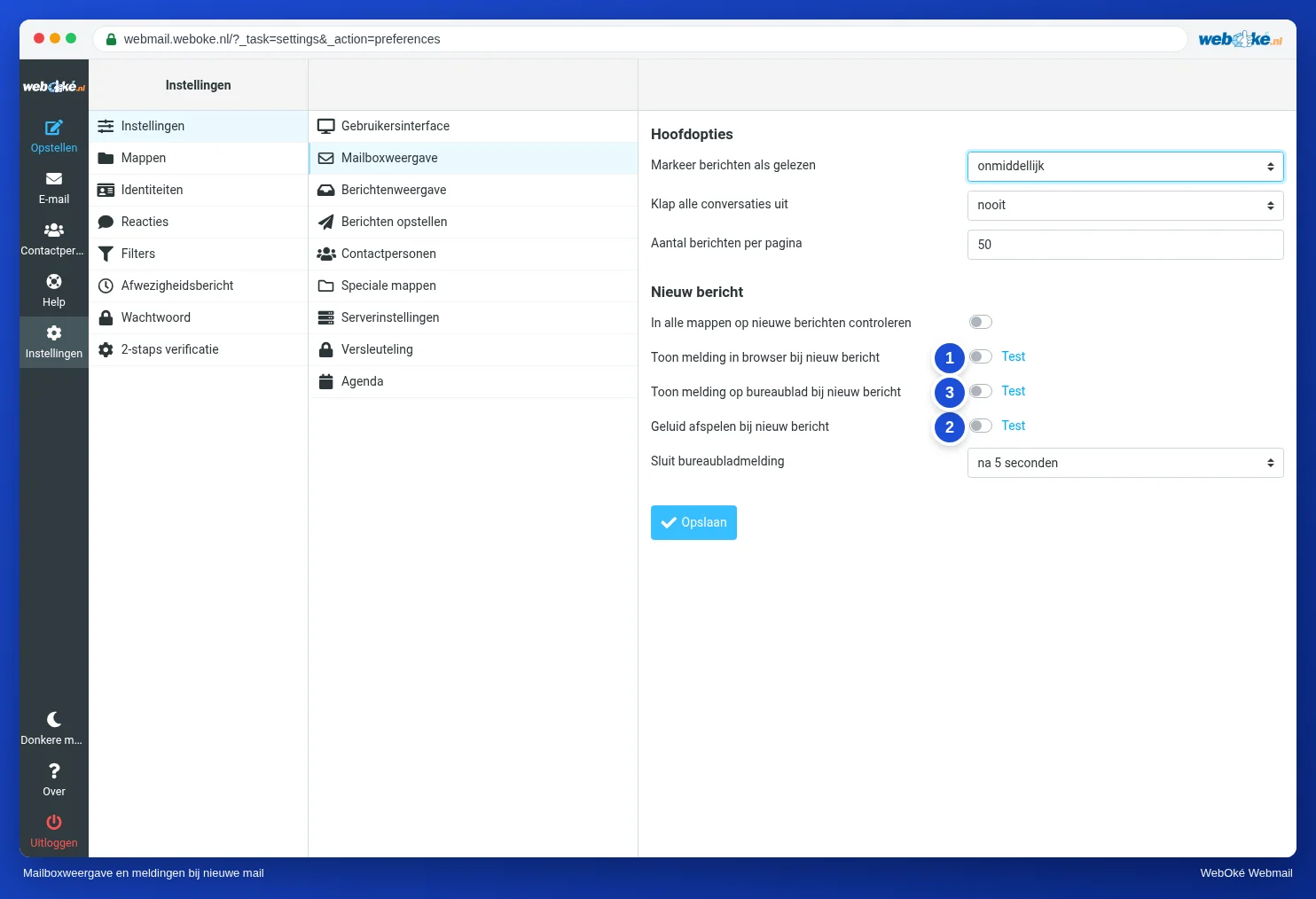
Settings, Mailbox View with the notifications for a new message
(1) notification in the browser, (2) notification on the desktop, (3) sound
  1. Go to Settings, Preferences, Mailbox View.
  2. Under New Message, choose what you want:
    • Display browser notifications on new message (1): the webmail tab shows that there is new email.
    • Display desktop notifications on new message (2): your computer shows a notification, even when you are working in another program. Your browser first asks whether the webmail may show notifications. Choose Allow.
    • Play sound on new message (3).
  3. Use Test next to an option to try out the notification.
  4. Click Save.

New email in other folders too

Do you use filters to sort your email into folders? Then turn on Check all folders for new messages. Otherwise the webmail only checks your Inbox.

Please note: you only get a notification while the webmail is open in your browser. If you close the tab, you won't get any notifications. Do you always want notifications, on your phone too? Then use a mail app, see Webmail on your phone or tablet.

One moment…

Set up your domains

For each domain, arrange the nameservers, the link to your hosting and who becomes the owner.

Loading your domains…