
Skip to content

Cookie settings

Choose which kinds of cookies you allow. You can change your choice at any time via Cookie settings at the bottom of every page. Privacy statement

Necessary

Always on

Needed to log in, keep your cart and remember your choices. These are always on.

Which cookies?
  • weboke_sessie, weboke_klant, weboke_remember: your session and staying logged in
  • weboke_basket: your cart
  • wkBtwIncl: showing prices with or without VAT
  • wok_cookies: your cookie choice, 12 months

Measures which ad leads to a visit or order, so we do not pay for ads that do nothing.

Which cookies?
  • Google Ads via Google Tag Manager (_gcl_au, _gcl_aw), up to 90 days
  • OpenAI Ads, ads in ChatGPT
  • wok_aff: which partner referred you to us (affiliate programme), 60 days

4.6

Country and language

Each country has its own site, with prices and VAT for that country.

View

Staying signed in and logging out

On your own computer, you don't want to log in again every time. On someone else's computer, you want to make sure you log out properly. Here's how to do both.

Remember username and Stay signed in

The Remember username and Stay signed in tick boxes on the login page, with the note about 30 days
(1) Remember username, (2) Stay signed in
  • Remember username (1): next time, your email address is already filled in. You only need to type your password.
  • Stay signed in (2): you stay logged in for 30 days, even if you close the browser. This is also shown below the option when you tick it.

Please note: only use Stay signed in on your own device. Anyone who opens that browser afterwards can read and send your email.

Logging out
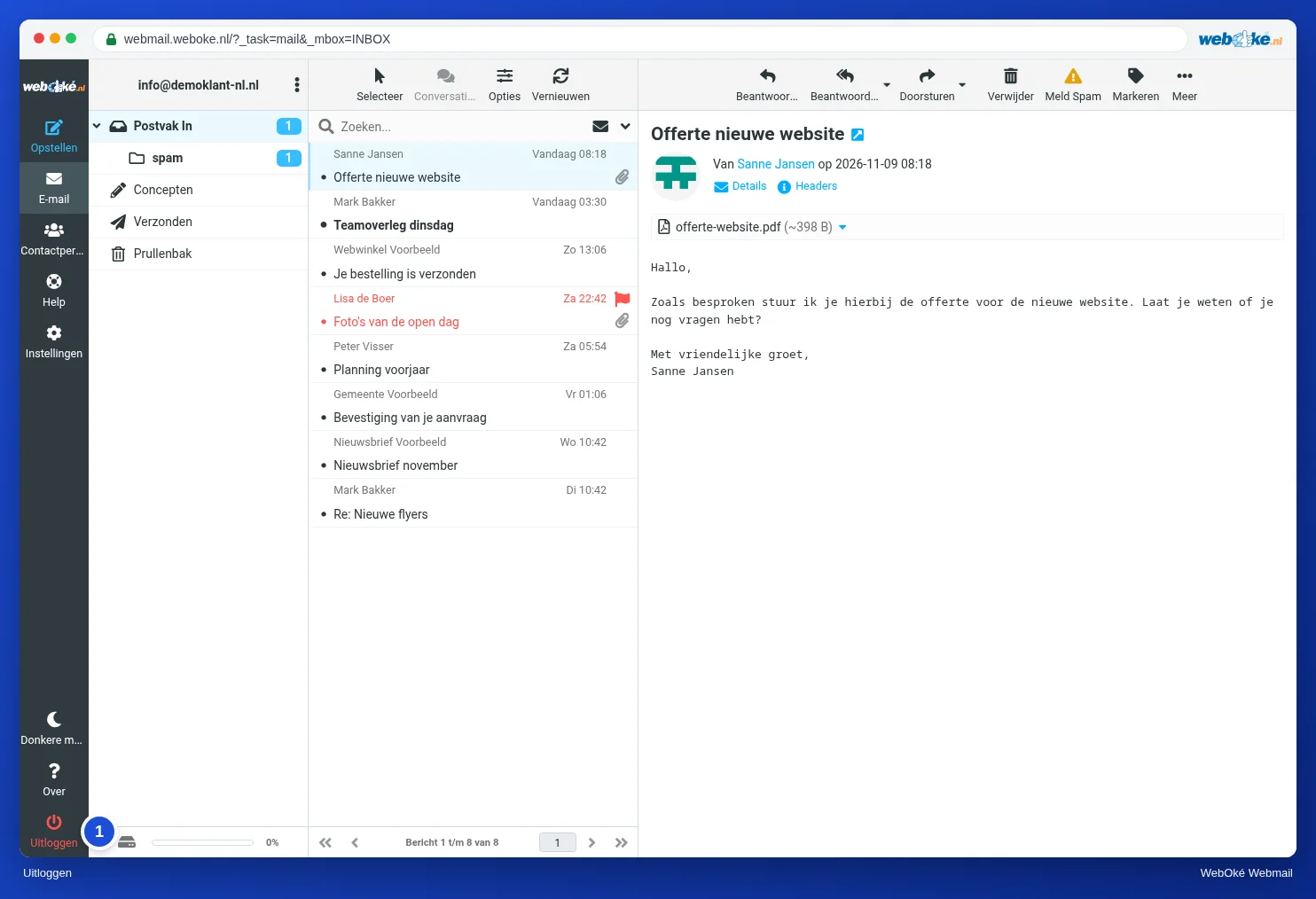
The webmail with the Logout button at the bottom left of the menu
(1) Logout

Click Logout (1) at the bottom left of the menu. Always do this on a computer that isn't yours, even if you close the browser afterwards.

On a shared computer

  • Untick Remember username and Stay signed in.
  • Don't let the browser save your password.
  • Log out when you're done and close the browser.

Tip: want to secure your mailbox even better? Turn on two-step verification. Then someone who only has your password still can't get in. See Turning on two-factor authentication.

One moment…

Set up your domains

For each domain, arrange the nameservers, the link to your hosting and who becomes the owner.

Loading your domains…