
Chapter 7 · 7.2
Changing the password of an email address
Every email address has its own password. Have you forgotten it, or do you want to change it because someone else knows it? Then set a new password in DirectAdmin. You don't need to know the old password to do this.
How to change the password
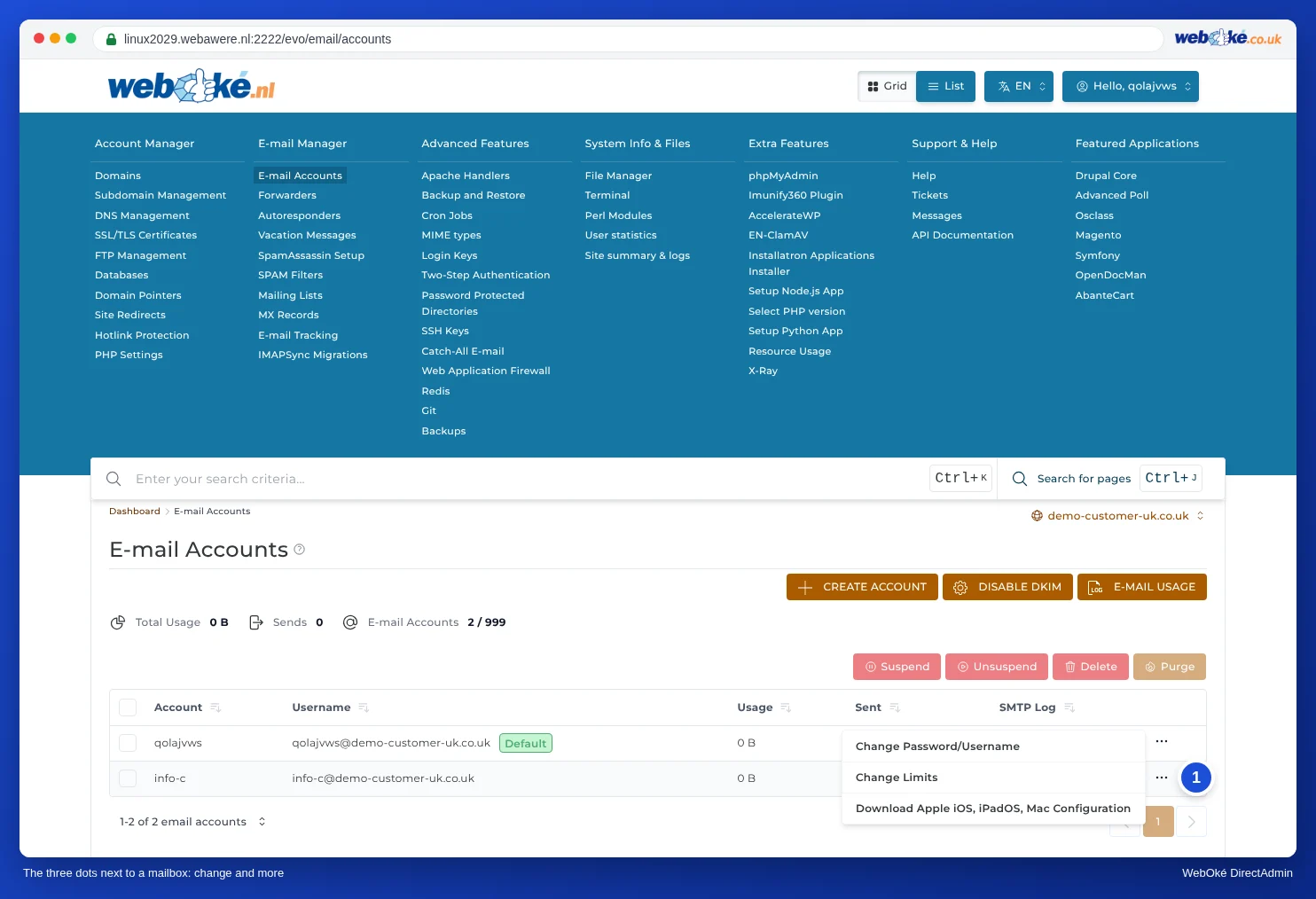
- Log in to DirectAdmin and go to E-mail Accounts.
- Select the correct domain at the top right, if you have more than one.
- In the row of the email address, click the three dots on the far right (1).
- Select Change Password/Username.
- Type the new password under Password, or click the button on the left of the field for a strong password.
- Click SAVE.
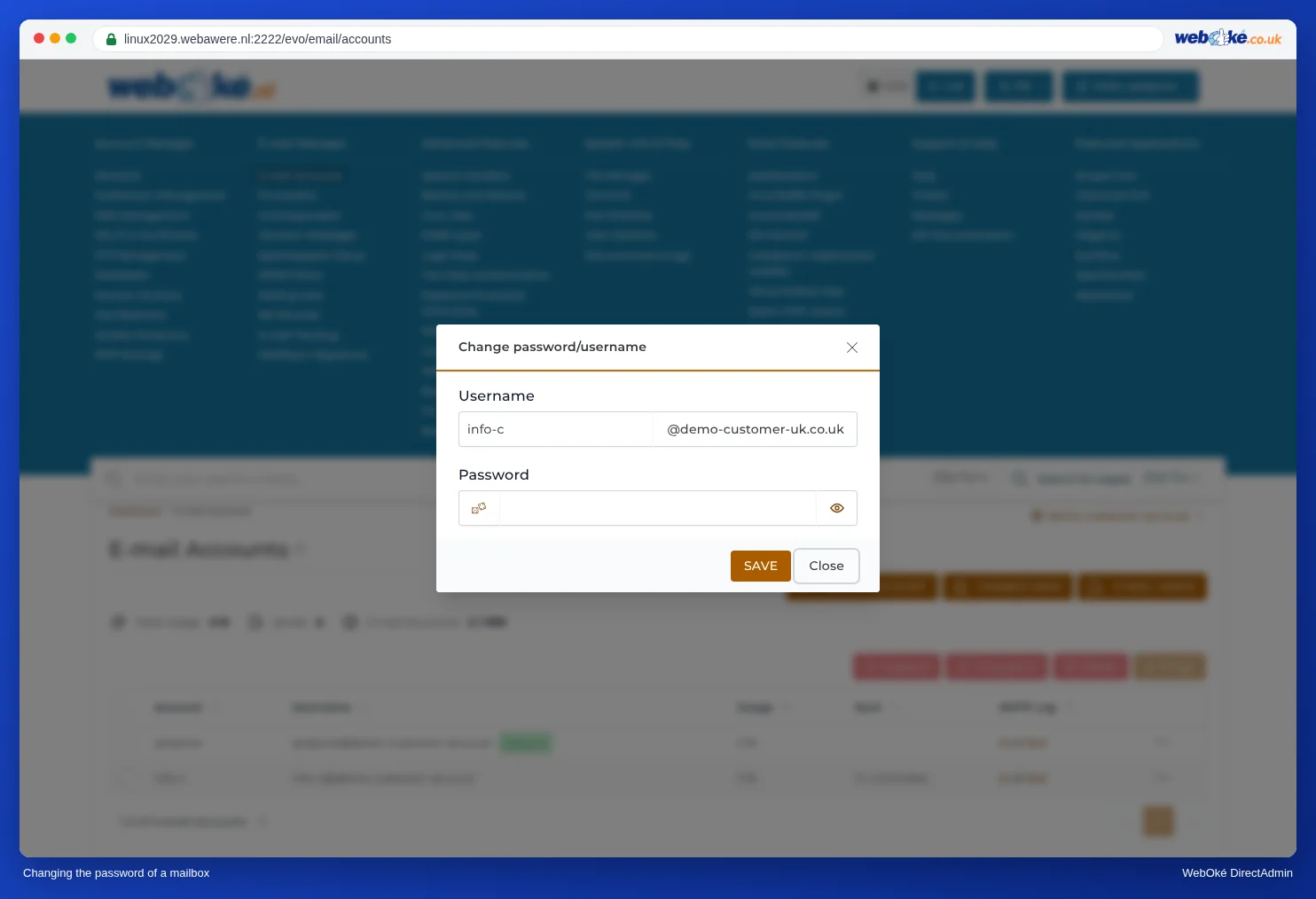
The new password works immediately. The old one stops working from that moment on.
Update the password on your devices too
If you use the address on your phone, tablet or computer, enter the new password there too. Do this on all your devices. A device that keeps trying to log in with the old password can cause the server to temporarily block your internet address (IP address). Your mail, your website and DirectAdmin will then suddenly stop working from your own internet connection. You can read how to solve this in Can't send or receive mail: here's how to fix it.
Tip: Not sure whether you're using the right password? Try logging in to webmail at webmail.weboke.nl. If that works, the password is correct and the problem lies in your email program's settings.
Changing the name of an address
In the same window, you can also change the User Name, meaning the part before the @. So, for example, info@ suddenly becomes contact@. Keep in mind that mail to the old address will no longer arrive afterwards, and that you'll need to update the address in all your email programs. If you want the old address to keep working, create a forwarder from the old address to the new one after renaming (see Forwarders: forwarding mail to another address).
A good password for your mailbox
- At least 15 characters, preferably randomly generated by a password manager. A passphrase of five or six random words also works. If DirectAdmin also asks for uppercase letters, lowercase letters or numbers, add those too. More tips can be found in Secure passwords and what to do if a password is leaked.
- Don't use it anywhere else, especially not on a website where you log in with the same email address.
- A mailbox with a weak or leaked password is often misused to send spam. This can cause you to hit the sending limit (see Send limits and the 'message limit reached' message) and your mail may end up on blacklists (see What to do if your e-mail address has been misused).
Frequently asked questions
Is this the same as my DA password or my My WebOké password?
No. Your DA password is for DirectAdmin itself (see Setting or changing your DA password), your My WebOké password is for your customer environment. Every email address has its own password.
Can you look up my password?
No. Passwords are stored encrypted; no one can read them back. So you always set a new password.
Can I change the password of the default account?
No, that's always the same as your DA password (see The default email account of your package).
Can I do this in My WebOké too?
Yes, the AI assistant in My WebOké can change the password of a mailbox for you. For example, ask "Set a new password for info@yourdomain.com".