
Chapter 7 · 7.1
Working together in one document via your Nextcloud
In Word and Excel, you often email versions back and forth. With Euro-Office in your WebOké Nextcloud, you and your colleagues work in the same document at the same time. There is only one version, and it is stored in your own Nextcloud.
How to work together
- Share the document with your colleague and give them editing rights. See Sharing a document with a colleague.
- Open the document in your Nextcloud. Your colleague opens it in their own Nextcloud.
- Just carry on working. You see your colleague's cursor in its own colour, with their name next to it. Whatever the other person types appears on your screen.
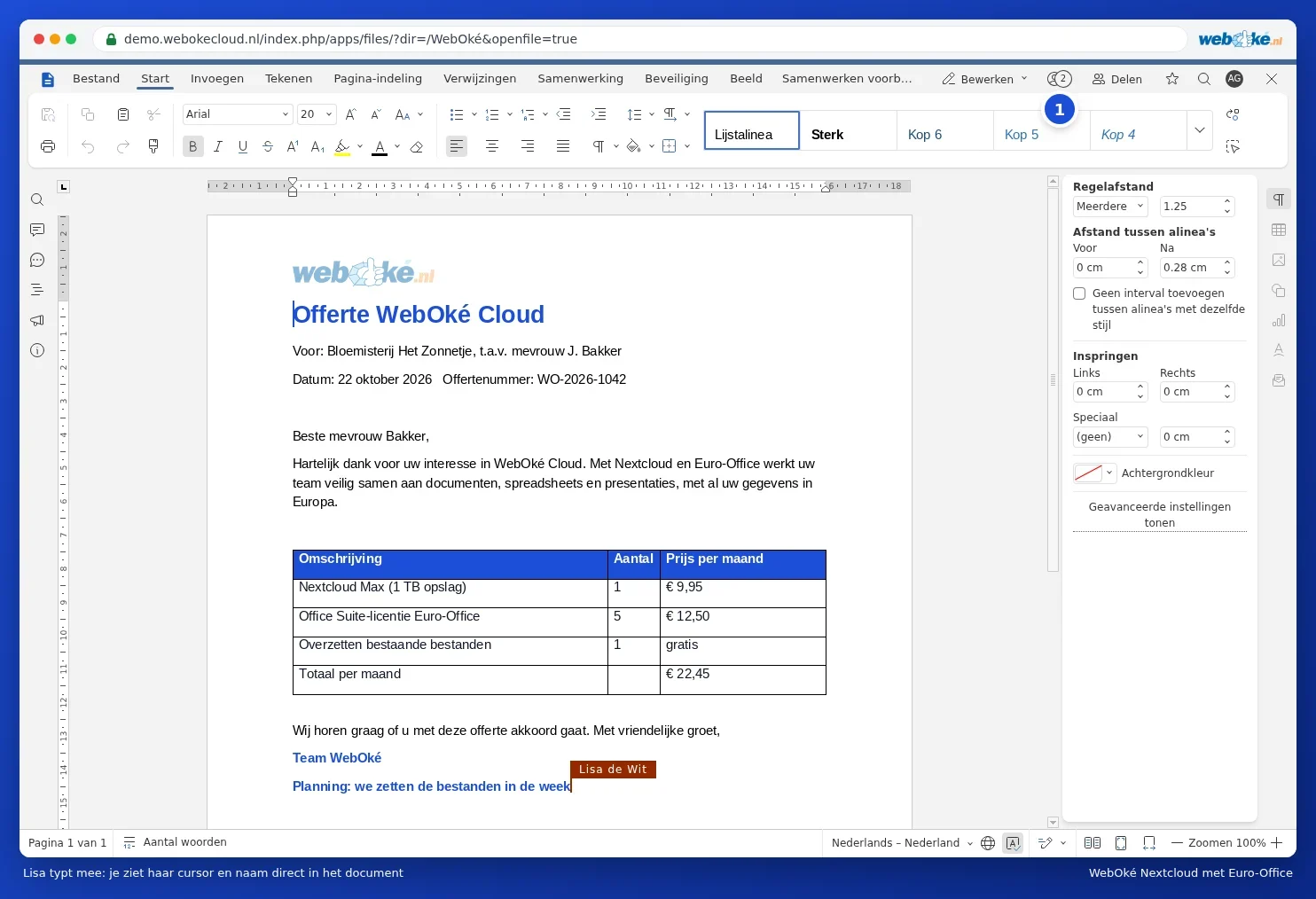
You don't need to save anything: Euro-Office saves everything automatically. If you want to decide yourself when others see your changes, use the Strict mode (see Fast or Strict: the two co-editing modes).
What you know from Word also works together
- Comments and mentioning someone with @: Adding comments and mentioning someone.
- Tracking changes: Tracking changes and adding comments (track changes).
- Restoring an older version: Version history: restoring an older version.
- Sharing with someone outside your organisation: Sharing with someone outside your organisation.
Prefer a program on your computer?
With the Nextcloud Office program (Euro-Office as a desktop program), you open documents from your connected Nextcloud and also work together with colleagues who use the browser. See Connecting the program to your WebOké Nextcloud and Working together between the program and colleagues in the browser.
Please note: LibreOffice cannot work in the same document at the same time as others. Use Euro-Office for shared documents. You can read how to use LibreOffice safely alongside it in Combining LibreOffice on your computer with Euro-Office in the cloud.