Skip to content

Cookie settings

Choose which kinds of cookies you allow. You can change your choice at any time via Cookie settings at the bottom of every page. Privacy statement

Necessary

Always on

Needed to log in, keep your cart and remember your choices. These are always on.

Which cookies?
  • weboke_sessie, weboke_klant, weboke_remember: your session and staying logged in
  • weboke_basket: your cart
  • wkBtwIncl: showing prices with or without VAT
  • wok_cookies: your cookie choice, 12 months

Measures which ad leads to a visit or order, so we do not pay for ads that do nothing.

Which cookies?
  • Google Ads via Google Tag Manager (_gcl_au, _gcl_aw), up to 90 days
  • OpenAI Ads, ads in ChatGPT
  • wok_aff: which partner referred you to us (affiliate programme), 60 days

4.6

Country and language

Each country has its own site, with prices and VAT for that country.

View

Importing and exporting contacts

Are you coming from another mailbox or another email program? You can bring your contacts with you using a file.

Import
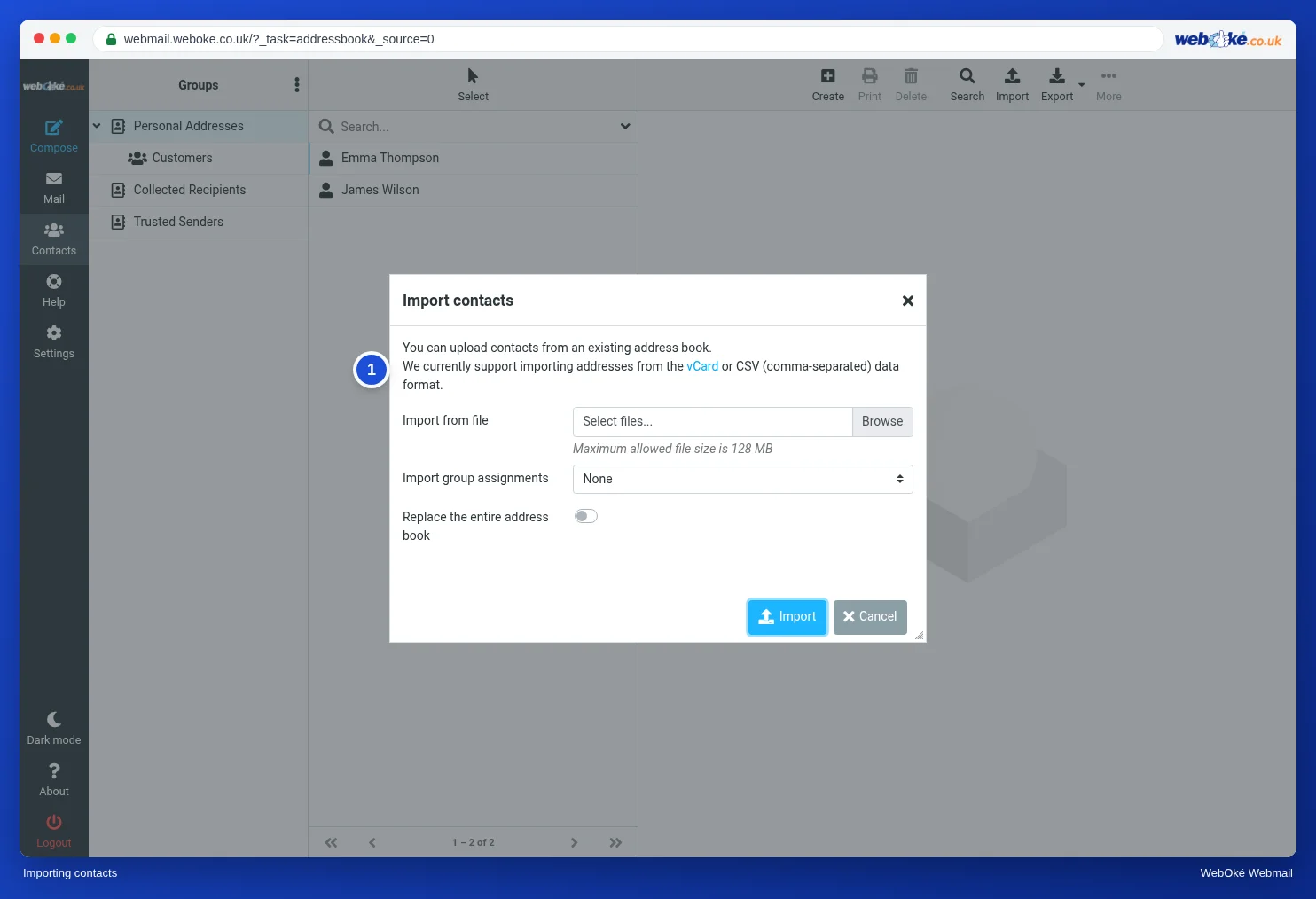
The Import contacts window with the Import from file field
(1) explanation: vCard or CSV
  1. First export your contacts from your old program as a vCard (.vcf) or CSV file. Google Contacts, Outlook and Apple Contacts can all do this.
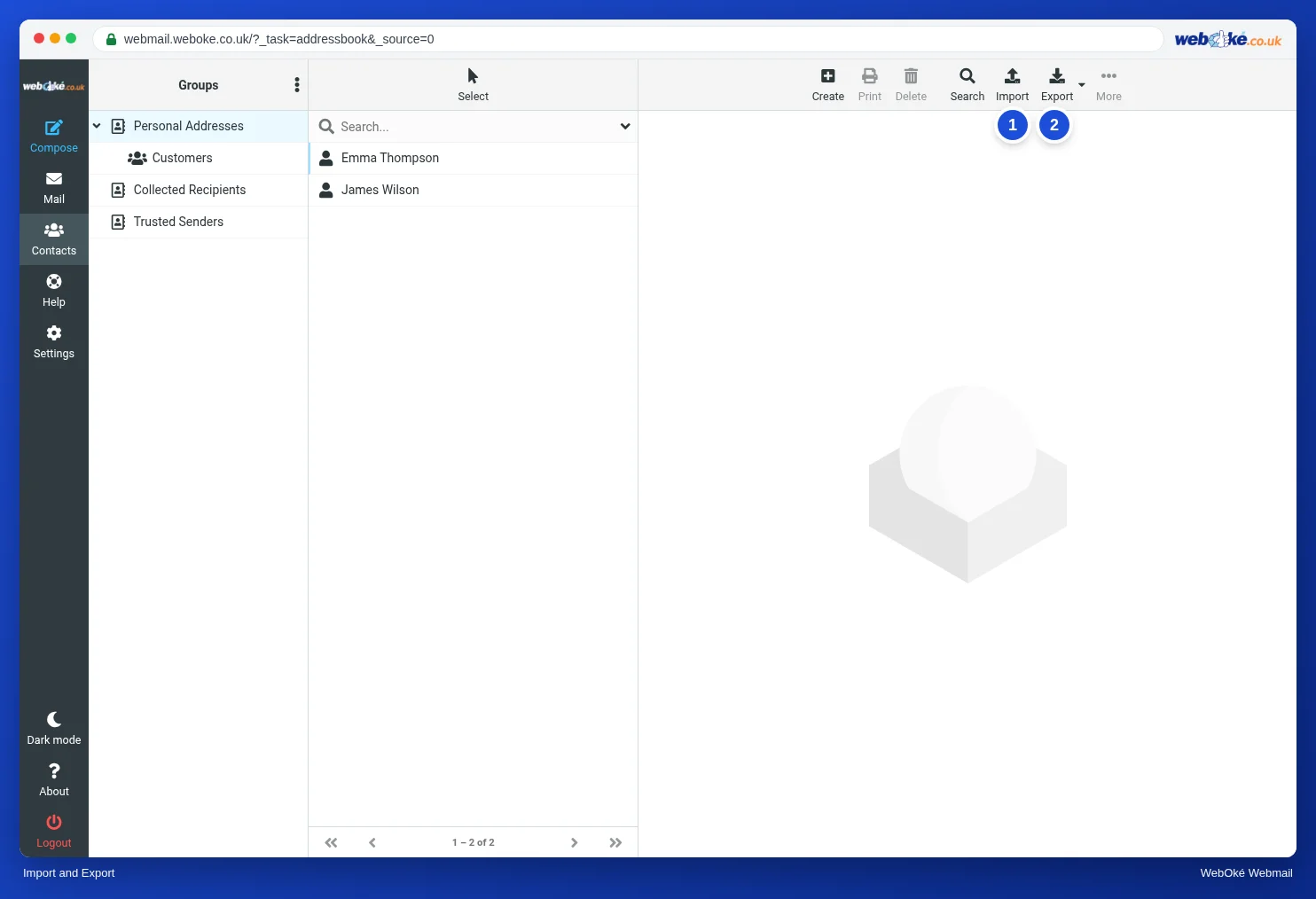
  2. In the webmail, go to Contacts and click Import at the top.
  3. Choose the file at Import from file.
  4. At Import group assignments, choose whether the groups in the file should be included.
  5. Leave Replace the entire address book switched off, unless you really want to overwrite your current contacts.
  6. Click Import.

Export

The Import and Export buttons above the address book
(1) Import, (2) Export

Click Export (2). You get a vCard file with all your contacts. Use the arrow next to it to export only the contacts you have selected.

You can import that file into almost any other program, or into Nextcloud Contacts.

Tip: moving your entire mailbox to WebOké? Then read Moving your email: the options. Contacts don't move automatically when your email is migrated, so bring them along with a file as described above.

One moment…

Set up your domains

For each domain, arrange the nameservers, the link to your hosting and who becomes the owner.

Loading your domains…