
Part 3 · 3.1
FTP 530 Login incorrect
Do you see 530 Login incorrect or Authentication failed in FileZilla or another FTP program? Then the server is rejecting your username and password combination.
The causes on our servers
- You are using an additional FTP account, but only typing the first part of the name. The username is the full name, such as webbuilder@yourdomain.com.
- You are using the default account with the wrong password. The username is your DA username (usually eight characters) and the password is your DA password, not the password of your mailbox or of My WebOké.
- The FTP account has been suspended or deleted.
How to fix it
- Look up your DA username and the server name in My WebOké: My Products, then Admin next to your hosting package. Your username is shown under DA user.
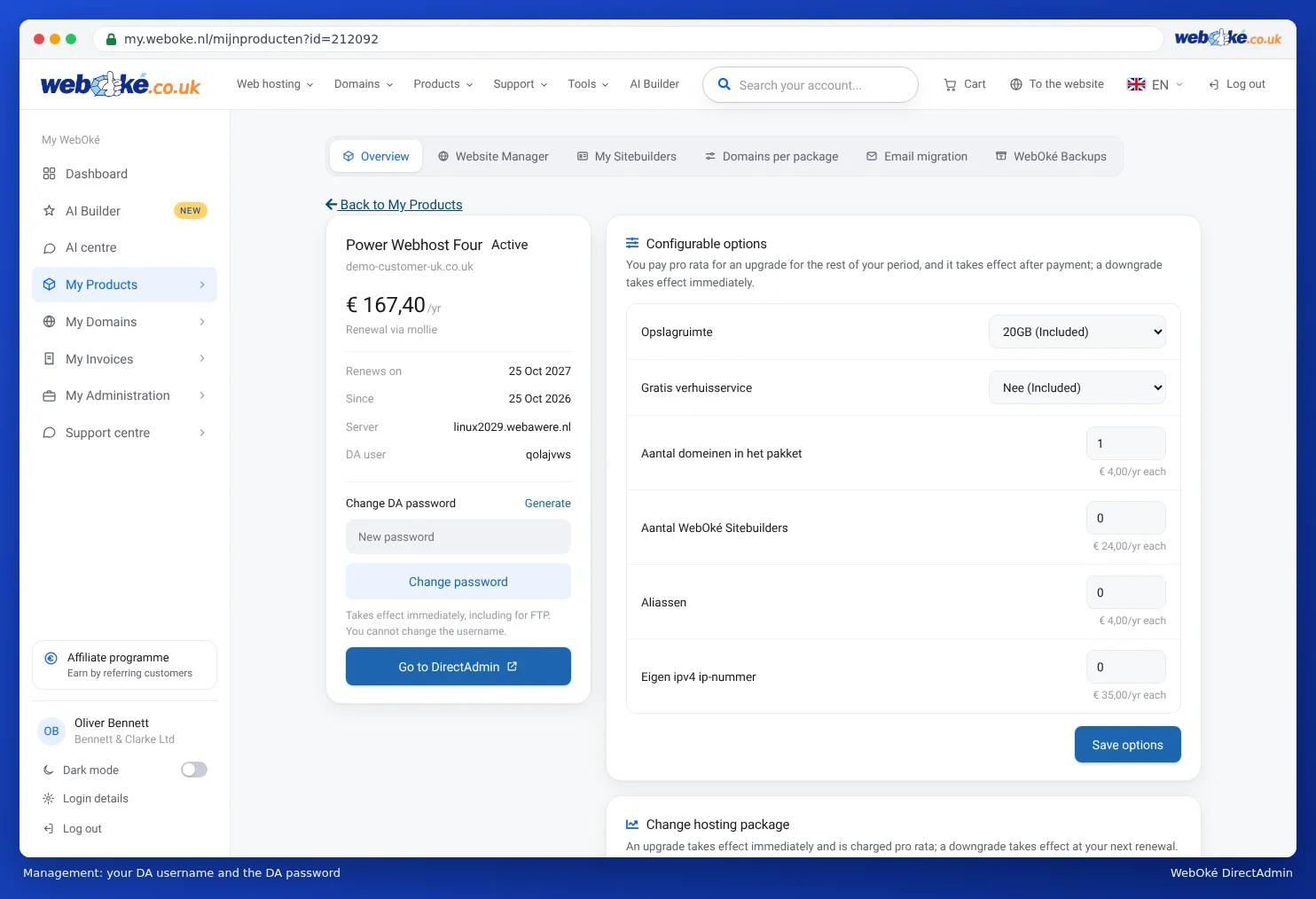
(1) your DA username, (2) change your DA password here - Not sure about the password of the default account? Set a new DA password on the same page (see Setting or changing your DA password).
- Using an additional FTP account? Check in DirectAdmin under FTP Management that the account exists, and type the full name including @yourdomain.com.
- Check the rest of your details: host = the server name of your package (such as linux2023.webawere.nl), port 21, encryption Require explicit FTP over TLS.
Please note: After a few failed login attempts, the server blocks your IP address for a while. You then no longer get a 530, but no connection at all, and your website and email also stop working from your connection. See Time-out: website, mail and FTP suddenly unreachable.
Logged in, but no folders?
Do you see Failed to retrieve directory listing or a timeout after logging in? Then the cause is usually a modem, router or firewall on your side, for example after an update of a KPN modem. Set FileZilla to passive mode and read FTP stopped working after a KPN modem update or switching to fibre.
When should you contact us?
Is the username correct, have you set a new password and does 530 keep coming back? Then get in touch.
Ask the AI assistant in My WebOké first, or create a ticket via Support centre and then Submit a ticket. Include:
- the server name and the username you are using
- a screenshot of the FileZilla message log
- your IP address (shown on the Am I blocked? page)
Never send your password.
Detailed explanation: FTP not working: how to fix it and Connecting with FileZilla (FTP, FTPS and SFTP).