
Part 3 · 3.4
Time-out: website, mail and FTP suddenly unreachable
Are your website, webmail, the mail in your email program, FTP and DirectAdmin suddenly not loading, with a time-out or unable to connect? But it works fine on your phone over 4G or 5G, and for other people too? Then our server's firewall has probably blocked your IP address.
Why does this happen?
Our servers block an IP address after too many failed login attempts on mail, FTP, DirectAdmin or SSH. Usually the cause is a device on the same network that keeps trying with an old password:
- an email program or phone with an old password, often a forgotten tablet or second phone;
- an FTP program that keeps logging in automatically with the wrong details;
- a script or plugin that logs in too often;
- at the office: one colleague with a wrong password gets the whole office blocked.
How to fix it
- Remove the cause first. Enter the correct password on all devices and programs that use this mailbox or FTP account. Otherwise you'll be blocked again within a few minutes.
- Log in to My WebOké and go to Support centre and then Am I blocked? Your IP address is already filled in. Click Check.
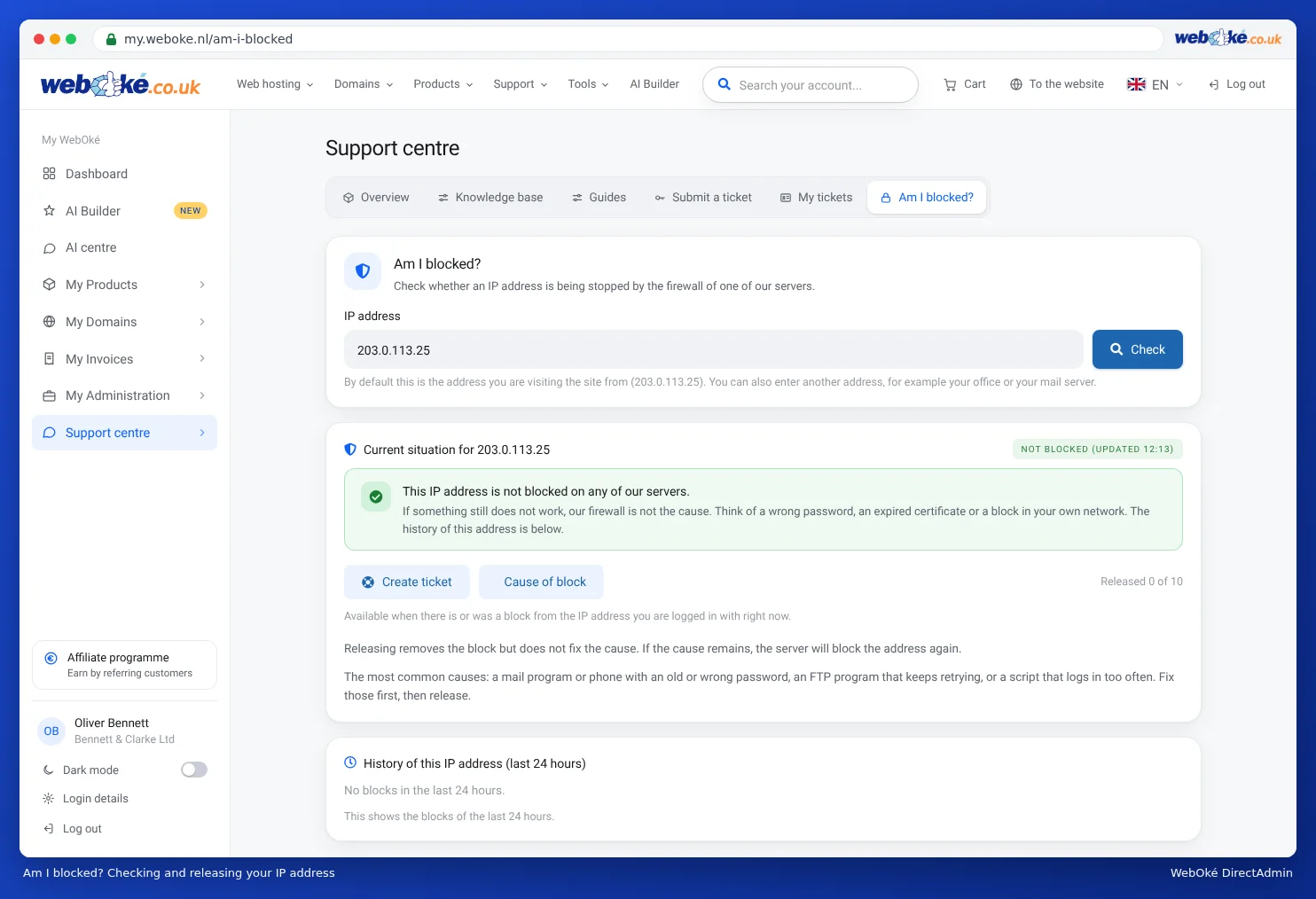
Am I blocked? Check and release your IP address yourself - If your IP address is blocked on a server where you have a package, you'll see why and until when. Click Release IP to release it yourself.
A temporary block also expires automatically at the time shown. You can release an address yourself a limited number of times; the counter is shown on the page.
Tip: My WebOké itself runs on a separate server. A block on your hosting server doesn't affect the portal. If you can't get into My WebOké either, something else is going on. In that case, check Outages & maintenance.
When should you contact us?
Has the counter run out, or is your address blocked on a server where you don't have a package? Then click Create ticket on the Am I blocked? page. The details of the block are included automatically.
Ask the AI assistant in My WebOké first, or create a ticket via Support centre and then Submit a ticket. Include:
- a short explanation: which device or program was probably the cause
Never send your password.
Read more: Am I blocked? Your IP address and our firewall and Solving login problems.