
Part 1 · 1.3
Error code 535: authentication failed (also in webmail)
Error code 535 means the outgoing mail server is rejecting your login details, so you can't send email. The cause depends on where you see the message: in your mail program or in webmail.
What the message looks like
- In webmail: SMTP Error (535): Authentication failed.
- In a mail program, app or plugin: 535 with text such as authentication failed or incorrect authentication data, or a message saying your login details were rejected.
In webmail: you can log in, but not send
If you can log in to webmail, your password is correct, so setting a new password won't help. Webmail sends through the same server you logged in to. This works with an empty Server field and also if you've entered your package's server name there. Did you get this message in the past with a filled-in Server field, or because mail.yourdomain.com pointed to a different server? That has been fixed.
Still seeing the message?
- Log out and log in again. Leave the Server field empty if your domain is hosted with us.
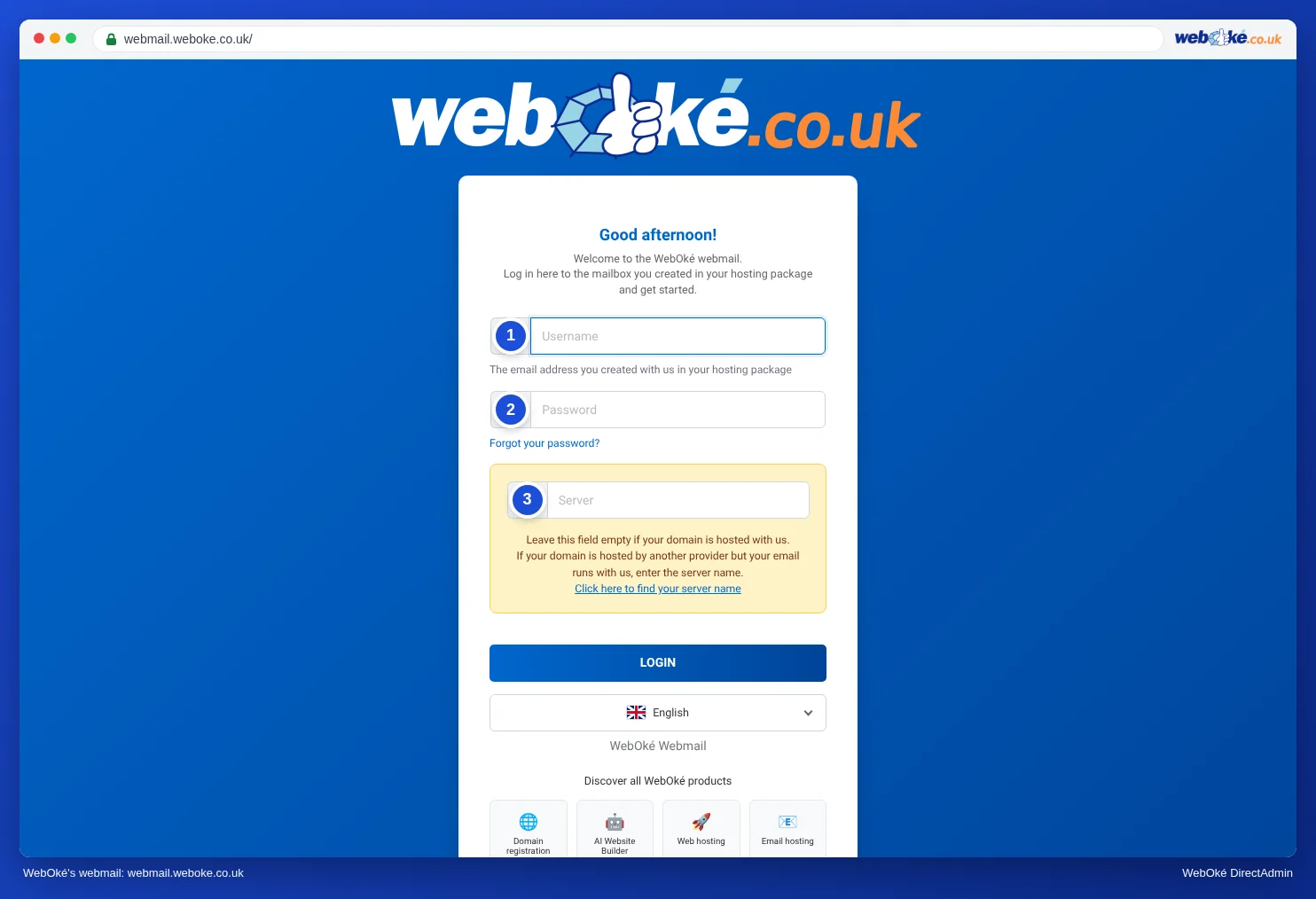
(1) your full email address, (2) the password for this address, (3) Server: leave empty - Are you sending from another mailbox you've linked in webmail? Then check the user name and password of that mailbox in that identity.
In a mail program, app or plugin
- Check the user name: this is your full email address, for the outgoing server too. So info@yourdomain.com, not just info.
- Check the password: test it by logging in to webmail.weboke.nl. If that fails, set a new password (see Changing the password of an email address) and update it on all your devices.
- Have you recently changed the password? Then update it in every program that sends email from this address: your phone, a second computer, an SMTP plugin on your website, or Gmail with Send mail as.
- Check the server and port: the same server as for incoming mail, port 587 with STARTTLS or 465 with SSL/TLS. You'll find all settings in All settings at a glance: servers, ports and security.
Please note: If a device keeps trying to log in with an old password, our firewall will block your IP address after a while. Your website will then also stop working from your own connection. See Time-out: website, mail and FTP suddenly unreachable.
When should you contact us?
Can you log in to webmail and have you logged in again, but the message still appears when you send? Then get in touch.
Ask the AI assistant in My WebOké first, or create a ticket via Support centre and then Submit a ticket. Include:
- the email address you're sending from
- where you see the message (webmail, which program or which plugin)
- the exact error message, with a screenshot
Never send your password.