





































In this article we explain how to easily add a domain to an existing hosting package.
By default, the maximum number of domains allowed within 1 hosting package is set to 1. Before you can move multiple domains to the hosting package, you need to upgrade the hosting package first, see this article for more info: https://www.weboke.nl/knowledgebase/168/Hoe-wijzig-of-upgrade-ik-mijn-hostingpakket.html
If you already have a domain name and want to order a hosting package for it, you can choose 'Use your own domain' when ordering the hosting package.
There you can enter your domain name, it will automatically become active in the new package after a few hours of synchronization time.
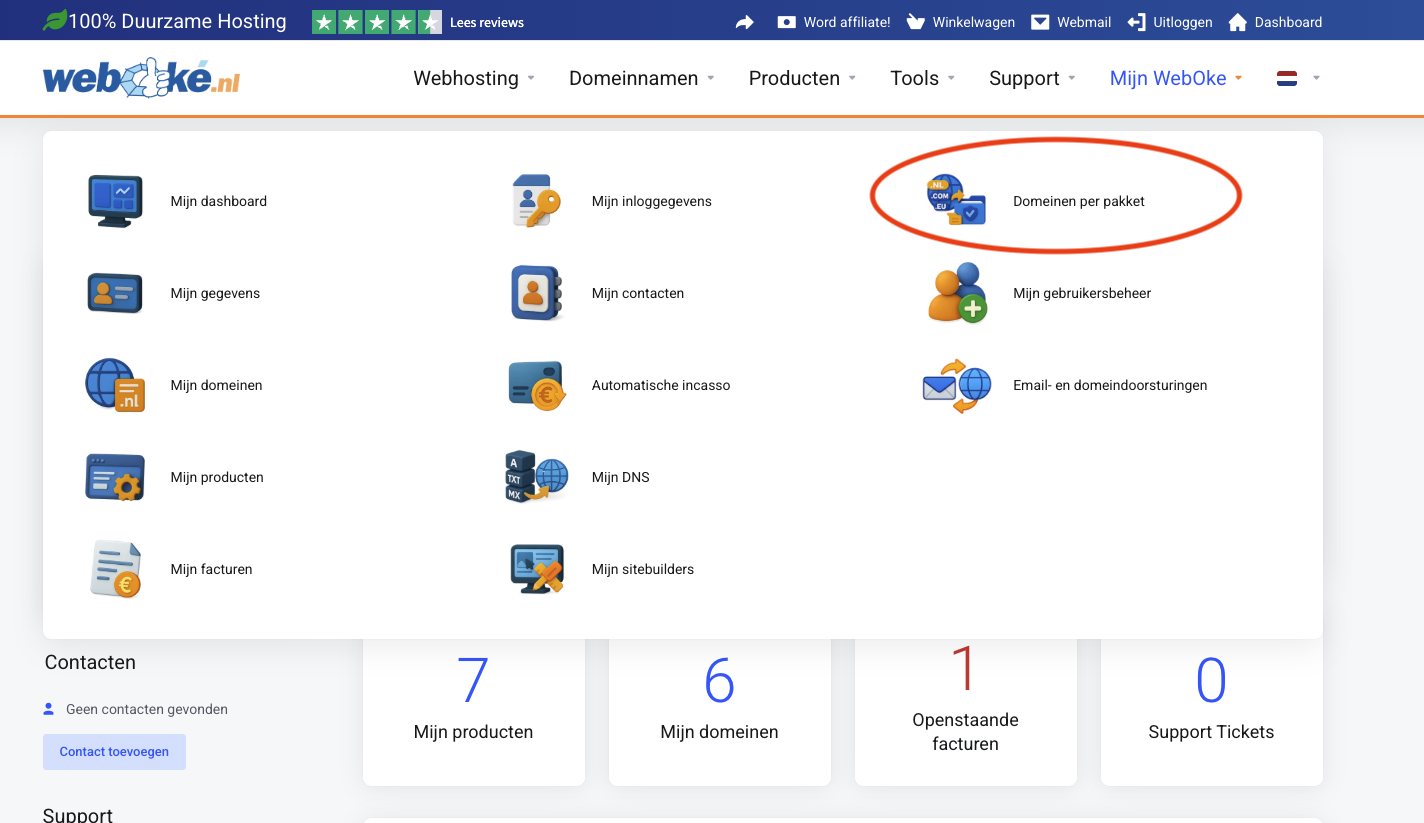
- Go to Domains per package
- Click on Show domains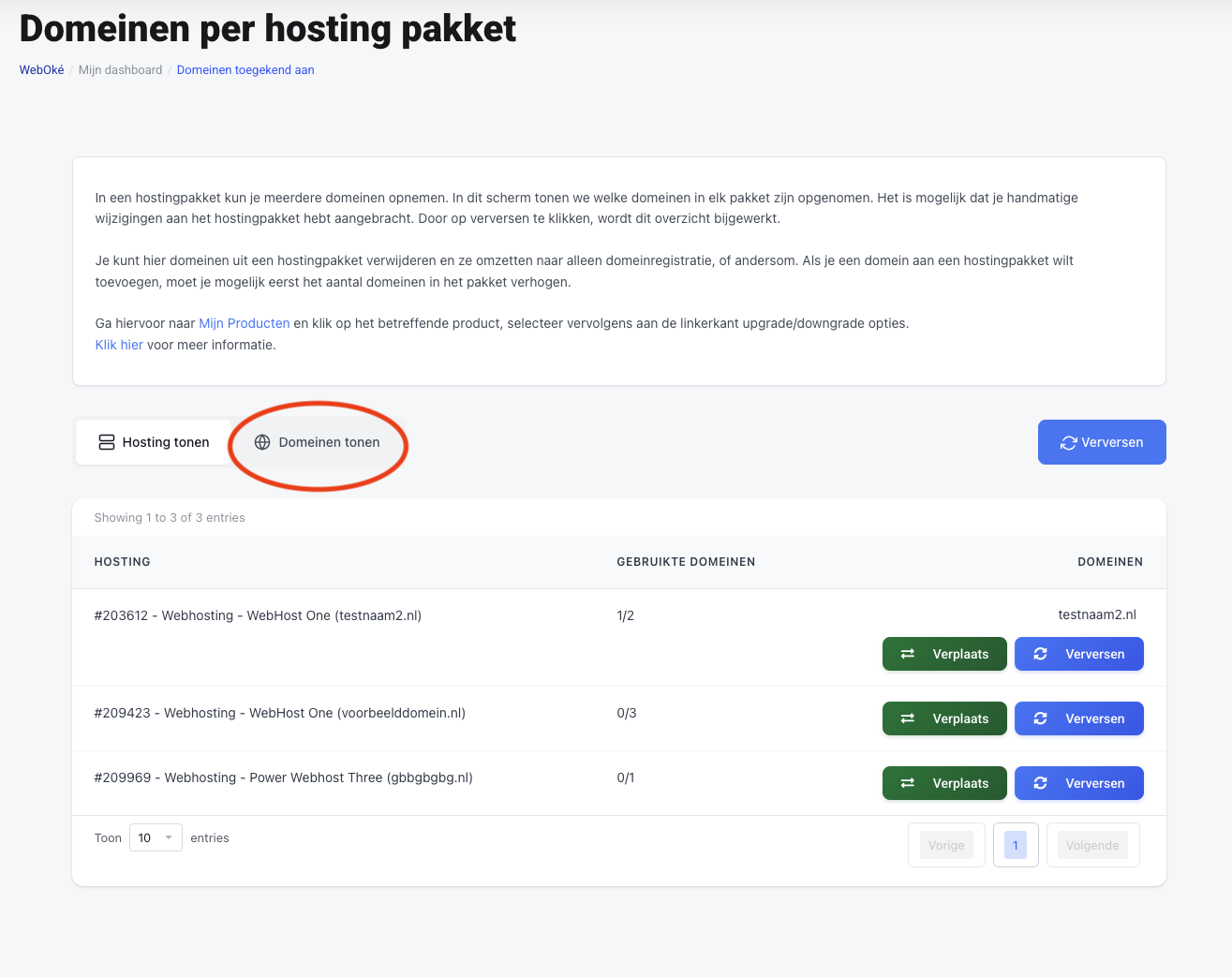
- Click on 'Add to hosting' to add the domain to a hosting package.
Click on 'Disconnect' to remove a domain from a hosting package. Please note that all data (files, dns, mail) will be lost with this action.
Click on 'Move' to move a domain between different packages. Please note that all data (files, dns, mail) will be lost with this action.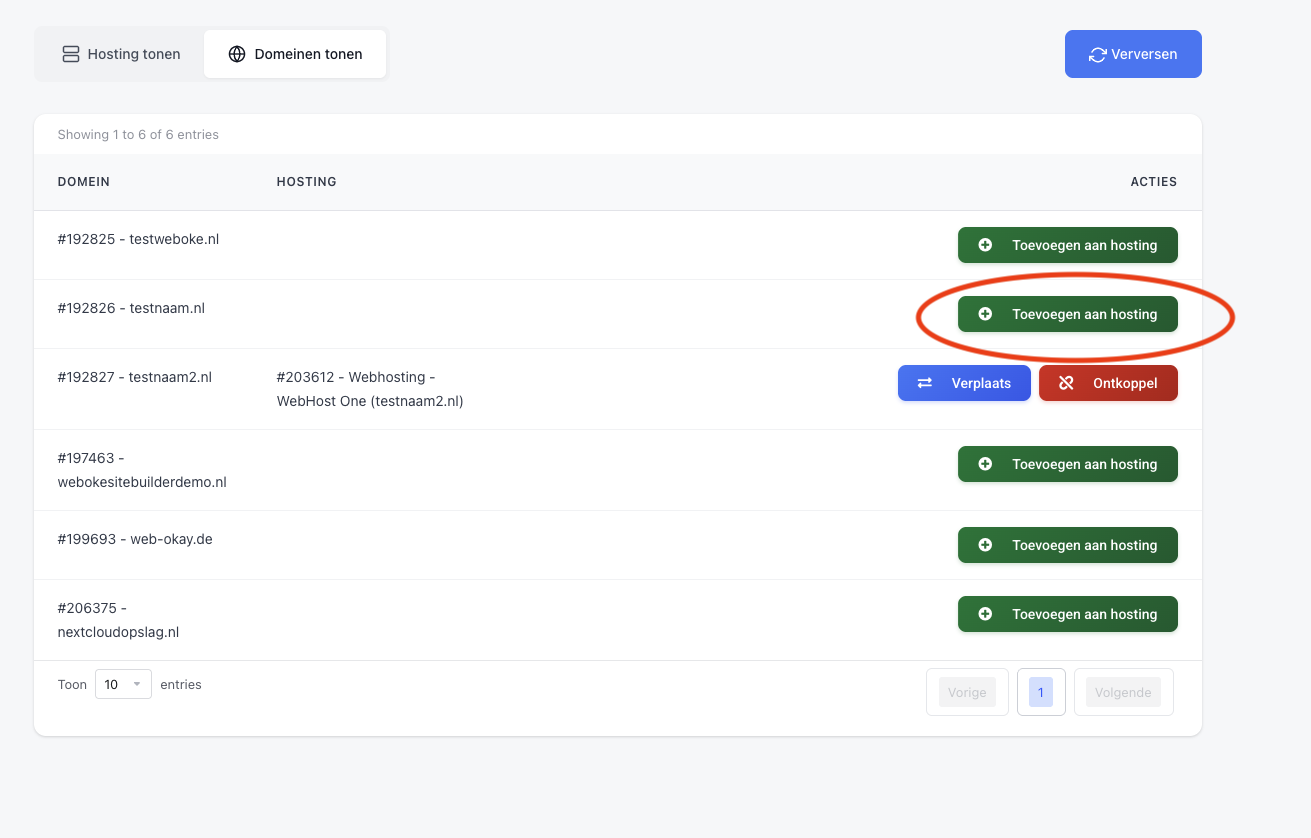
- Then choose the hosting package where you want to move the domain to
- Then you will get this pop-up. Note that all DNS settings, email and domain forwarders, website and email data for the relevant domain will be lost when moving to a (new) hosting package. If this is not a problem, check the checkbox and continue.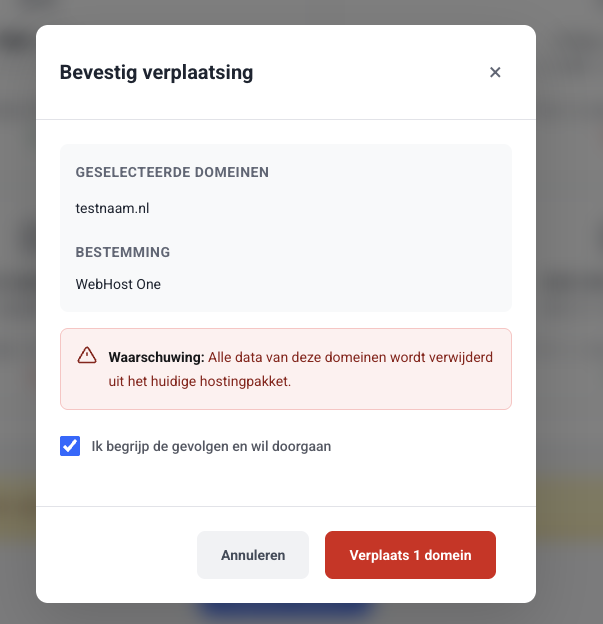
That's it! After approximately 4 hours of synchronization time, the domain will be active in the new hosting package.
If you want to convert a domain that is currently in a hosting package to domain registration only, you can do so in the same way.