

































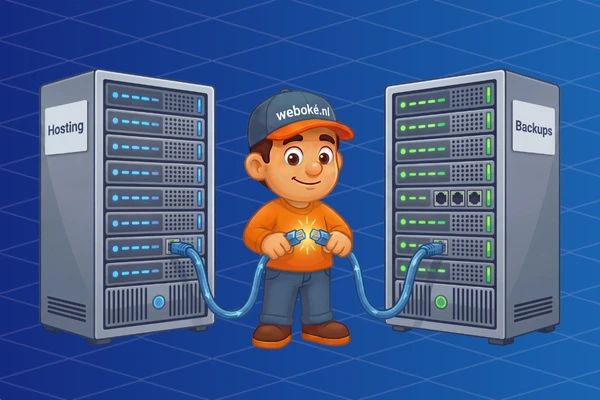
When you host your website and email with a hosting provider, you're trusting them with important data. You assume everything is safely stored and that there's a safety net if something goes wrong. In this post, we'd like to explain how WebOké handles backups for its customers.
Why are backups so important?
Imagine: you're working on your website and accidentally delete an important file. Or you run a WordPress update, your site only shows a white page and you can't log in anymore. It happens to the best of us.
Other situations are less innocent. Your site turns out to be hacked and full of spam or malware. Cleaning up is sometimes possible, but often restoring to a clean backup is the fastest and safest solution.
And then there are scenarios nobody likes to think about. In March 2021, a datacenter of a large French hosting provider in Strasbourg completely burned down. Customers who had their hosting there and hadn't made their own external backups lost everything. Websites, databases and emails were irretrievably lost. Even large, established parties are not immune to disasters.
How does WebOké handle this?
At some hosting providers, creating, storing and restoring backups has become a revenue model. However, we believe this is a crucial part of a complete hosting solution, even in the price range we operate in.
That's why we offer as standard with every hosting package:
- ✓ Backups of all hosting packages are created every night.
- ✓ Backups are kept for 31 days, regardless of the type of hosting package.
- ✓ Through the DirectAdmin control panel, you always have access to your backups yourself.
We use JetBackup for this. Thanks to this user-friendly software, all our customers always have access to their backups via the DirectAdmin control panel. With just a few clicks you can restore what you need: the complete account, individual mailboxes, the website, a specific database or the DNS settings of a domain.
→ Learn how to restore a backup in your hosting package
How has WebOké arranged this technically?
Geographic distribution
We have divided our infrastructure across two datacenters: NorthC in Oude Meer and NorthC in Aalsmeer.
Oude Meer – this is where our hosting servers run
Aalsmeer – this is where our backup infrastructure runs
With a direct wired connection, our hosting servers in Oude Meer create backups to the backup servers in Aalsmeer every night. We do this to prevent situations like the French provider mentioned earlier. In case of disasters in Oude Meer, we always have a safe copy of all data in Aalsmeer.
Security
The security of our backup servers is at least as important as that of the hosting servers:
- ✓ All drives have hardware encryption.
- ✓ Backups are stored encrypted – without the correct key, the data cannot be viewed.
- ✓ Backup servers are not directly accessible from the internet.
Extra security
When your website and data are crucial for you or your business, it may be wise to spread the backups even more. You can do this, for example, via a plugin in WordPress, automated via Installatron, or by manually downloading a backup from JetBackup to your own PC from time to time.
Want to know more?
Feel free to send our support team a message! We're happy to answer your questions.