
Error: To change this page, upload a new index.html to your private folder
In dit artikel leggen we uit wat je kunt doen als je error 'To change this page, upload a new index.html to your private folder' op je domein te zien krijgt.
Deze error kan naar komen bij hostingpakket die al wat langer bestaan.
Tot enkele jaren gelden werd bij een HTTP verbinding de public_html map benadert en bij een HTTPS verbinding de private_html map, deze twee bestonden dus naast elkaar.
Wanneer je bestanden in de public_html map staan maar je gebruik maakt van een veilige HTTPS verbinding met een SSL certificaat (wat tegenwoordig de standaard is) kan het zijn dat je website-bestanden niet gevonden worden omdat ze niet in de private_html map staan.
Dit is gelukkig eenvoudig op te lossen, dat leggen we stap voor stap uit:
Stap 1 - Ga in het klantenportaal mijn.weboke.nl naar Mijn Producten en klik op de knop 'DirectAdmin'
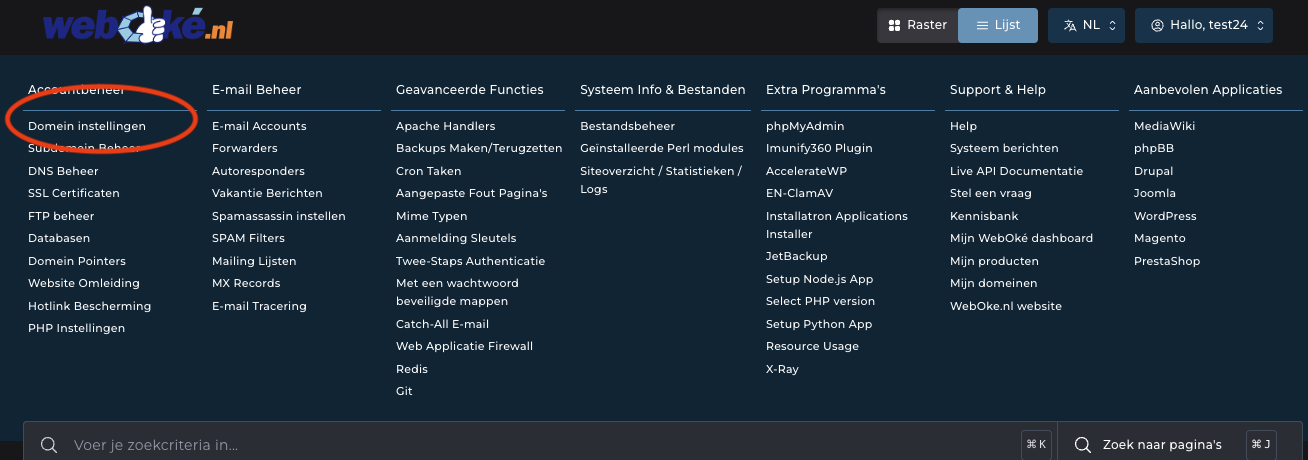
Stap 2 - Klik op 'Domein instellingen'
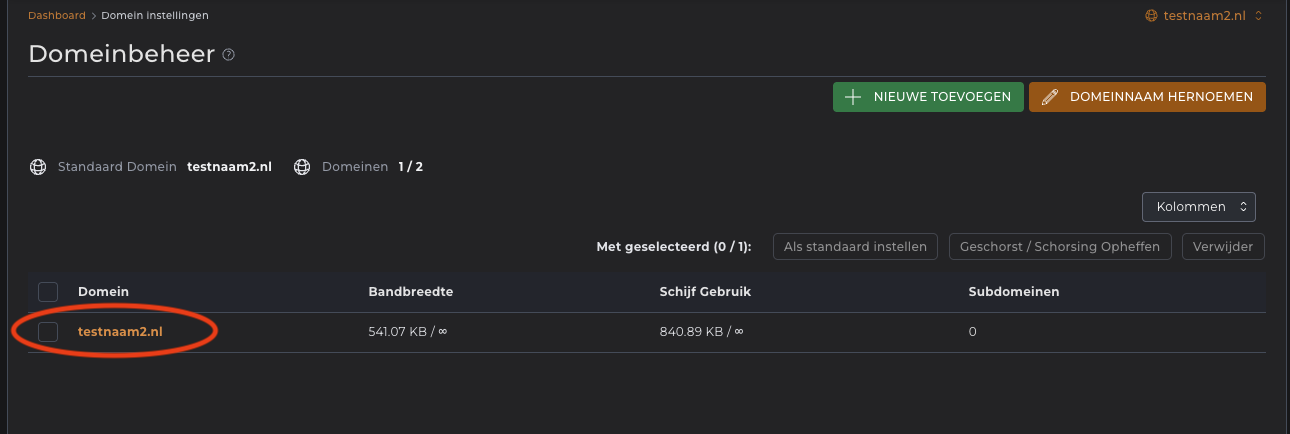
Stap 3 - Klik op op je domeinnaam
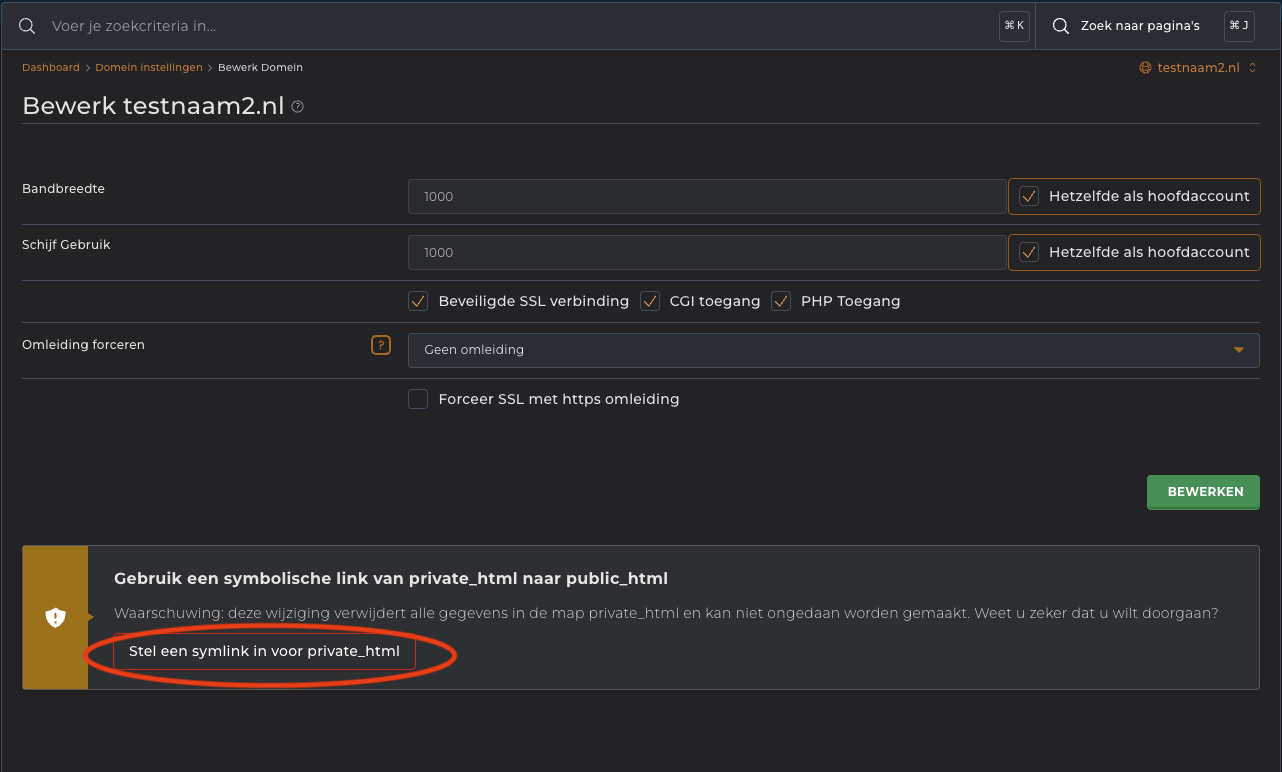
Stap 4 - Klik op 'Stel een symlink in voor private_html'
Daarmee is het opgelost! Het kan zijn dat je vanwege je browsercache toch de foutmelding nog ziet, in een privé venster of andere browser moet de foutmelding weg zijn.
