
Chapter 1 · 1.3
Sitemap and robots.txt with the AI Builder
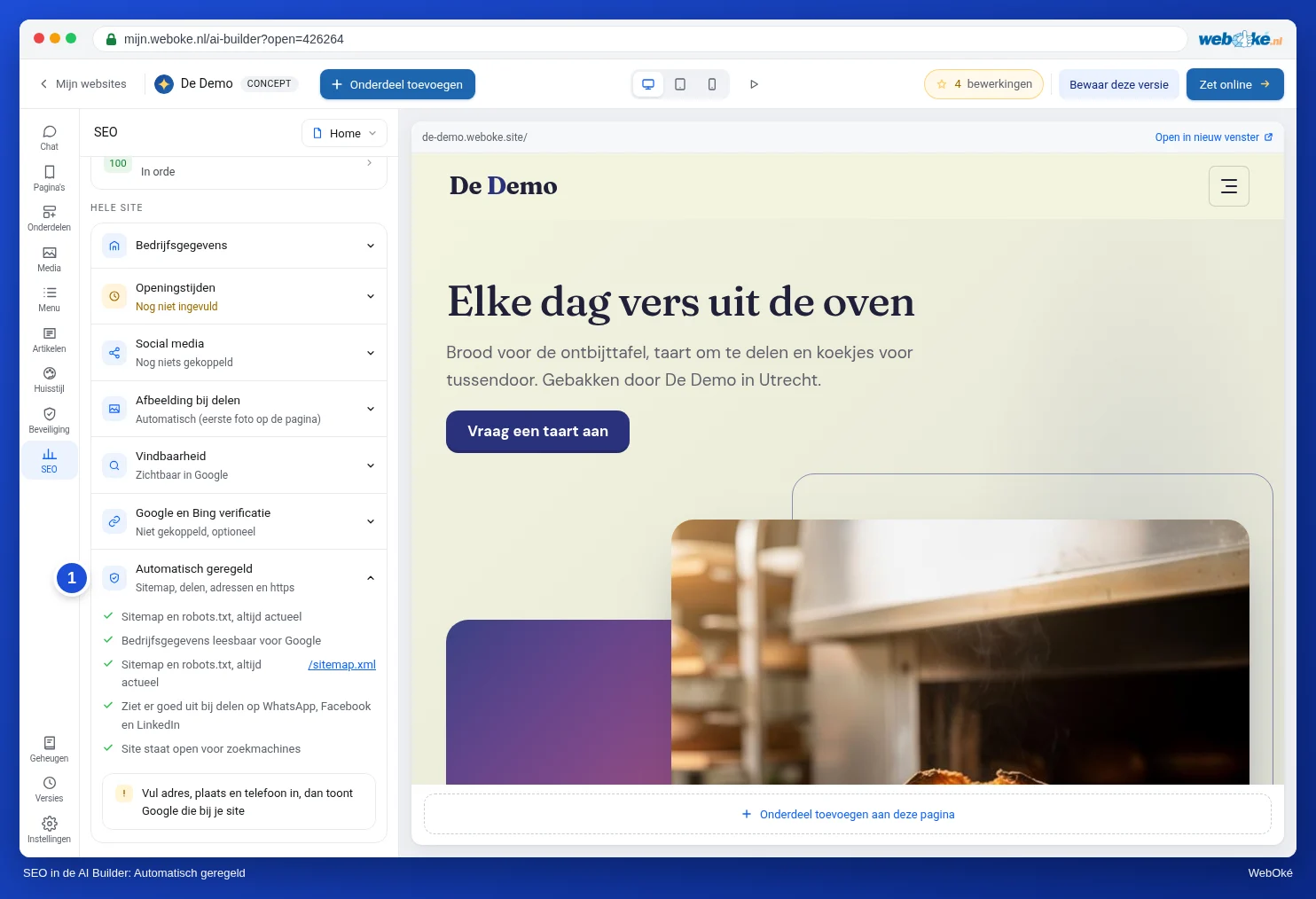
If you build your website with the AI Builder, the AI Builder takes care of the technical side for search engines. Every time you publish, it places a new sitemap.xml and a robots.txt in your site's web folder. All you need to do is check that your site is set to visible.
What the AI Builder creates
- sitemap.xml with all pages that are visible, including the posts on your news page, with the date of the last change for each page. If your site has multiple languages, all language versions are included.
- robots.txt with the lines
User-agent: *,Allow: /andSitemap:with the address of your sitemap. - A canonical link on each page, and your business details as structured data if you fill them in under Business details.
- A notification via IndexNow after every publish (see IndexNow: report changes yourself).
Is your site set to visible?
- In My WebOké, go to AI Builder and click Open in builder next to your website.
- Click SEO (1) in the rail on the left.
- Choose Whole site at the top and expand Findability.
- Turn on Site visible in Google (2).
- Click Publish changes at the top right. Only then is the new setting live on your actual site.
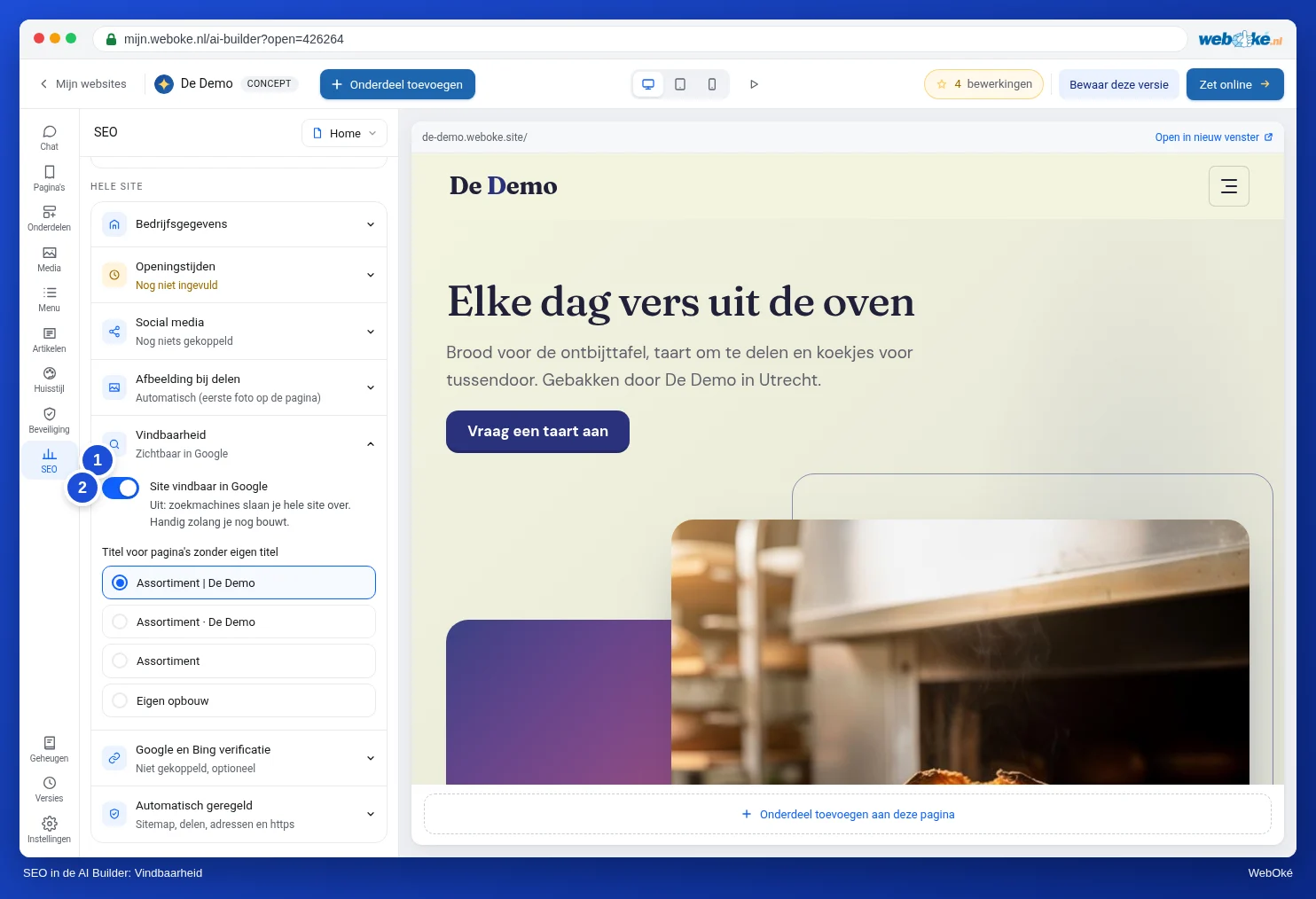
If the switch is off, the AI Builder puts Disallow: / in robots.txt and a noindex on every page. Search engines then skip your entire site. That's handy while you're still building. Don't forget to turn it on once your site is finished.
Want to keep a single page out of Google, such as a thank-you page? Choose This page at the top and turn off This page visible in Google. That page is removed from the sitemap and gets a noindex.
Please note: A free website on one of our addresses, such as name.weboke.site, is never visible in search engines, even if the switch is on. Google Search Console and Bing Webmaster Tools are of no use in that case. Your site must be on your own domain, with the AI Builder package (see AI Builder: editing, versions and publishing).
Checking
After publishing, open the following in your browser:
https://yourdomain.com/robots.txt: this should containAllow: /and aSitemap:line.https://yourdomain.com/sitemap.xml: this should list the addresses of your pages, with your own domain.
Google and Bing verification
The same panel contains the Google and Bing verification block. You don't need it if you verify your domain with a TXT record in the DNS, as described in Verifying your domain in My WebOké. That's also what we recommend.
Are you using a URL prefix property with the HTML tag method in Google Search Console, or the meta tag method in Bing Webmaster Tools? Then paste the code here. Paste only the code itself: the part of the meta tag between the quotation marks after content=. The AI Builder adds the meta tag around it for you. Then publish, and only after that click verify.
