
Chapter 7 · 7.2
Common errors and how to fix them
Something not working in Thunderbird? Below are the messages we see most often, with the solution for each. For an overview of all error messages, see the guide Error messages.
Start here: does webmail work?
Log in at webmail.weboke.nl with your full email address and password. If that works, your mailbox is fine and the problem is in Thunderbird. If it doesn't, the password is wrong or your IP address is blocked (see below). The full step-by-step plan is in Can't send or receive email: how to fix it.
| What do you see? | What's going on? | Solution |
|---|---|---|
| Thunderbird keeps asking for your password, or says "Login to account ... failed" | Wrong password or username | Use your full email address as the username and the correct password (Passwords: changing them, saved passwords and a primary password, Error code 535: authentication failed (also in webmail)) |
| A message about a certificate, with an Add Exception button | The server name doesn't match the certificate, or your virus scanner is getting in the way | Don't add an exception. Use the server name of your package (Manual setup: servers, ports and security, Certificate warning in your email program) |
| Receiving works, sending doesn't | Outgoing server settings | Port 465 with SSL/TLS or 587 with STARTTLS, normal password, full email address (Relaying denied: your email program isn't logging in) |
| Account ... can not send emails from ... | You're sending from an address that doesn't belong to your mailbox | Multiple addresses and identities and Account ... can not send emails from ... |
| You have reached your message limit | Your package's sending limit has been reached | Message limit reached: the sending limit has been reached |
| Mail stops arriving, senders get mailbox full | Your mailbox is full | Creating folders and choosing the right folder for Sent, Drafts and Deleted and 552 Mailbox full or message too big |
| Suddenly no connection, not even to webmail or your website (but it works over 4G) | Your IP address is blocked, often by a device with an old password | See below and Time-out: website, mail and FTP suddenly unreachable |
| Your mail is only on this computer, not on your phone | The account uses POP3 | Add the address again using IMAP (Adding your email address automatically, IMAP or POP3: what's the difference?) |
Is your IP address blocked?
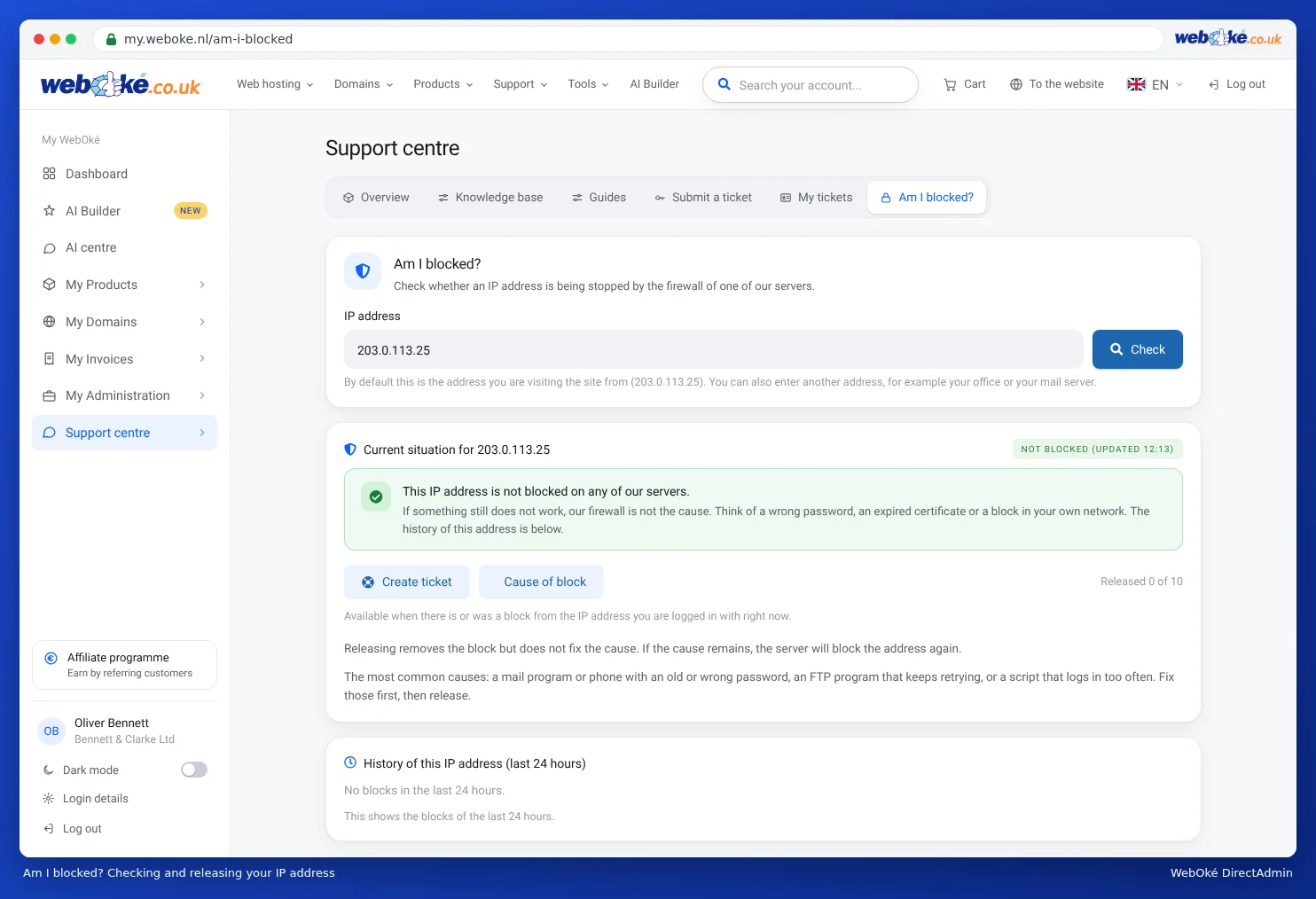
After a number of failed login attempts, the server blocks the IP address they come from. Check this in My WebOké under Support centre and then Am I blocked?. You can also unblock your IP address yourself there. Then set the correct password on all your devices.
Calendar and contacts
| What do you see? | Solution |
|---|---|
| "The credentials you entered were not accepted" or repeated requests for your password | Use an app password (How your calendar and contacts work with your Nextcloud, An app says "401" or keeps asking for your password) |
| "Could not find calendars at this location" | Check the location: https://<your-address>/remote.php/dav (Adding your Nextcloud calendars and task lists) |
| A new appointment doesn't appear on your phone | You put it in a calendar On My Computer. Choose your Nextcloud calendar (Adding your Nextcloud calendars and task lists) |
| Invitations don't arrive or arrive twice | Meeting invitations that don't arrive |
Thunderbird itself is acting strangely
Start Thunderbird once without add-ons and customisations: click the menu button, then Help and Troubleshoot Mode…. If it works then, an add-on is getting in the way. Turn your add-ons off one by one via Add-ons and Themes.
Still stuck?
Ask the AI assistant in My WebOké, or create a ticket via Support centre. Mention which email address it's about, which version of Thunderbird you use, which settings you entered and the exact error message. Never send your password.