
Chapter 6 · 6.2
From Gmail to Thunderbird
Coming from Gmail? Then there are two situations: you want to read your Gmail address in Thunderbird, or you are switching completely to your own address at WebOké.
Reading your Gmail address in Thunderbird
You can add your Gmail address to Thunderbird as an extra account, alongside your address at WebOké.
- Click the menu button, then Add Account and Email.
- Enter your name and your Gmail address and click Continue. You don't need a password.
- Thunderbird finds the Google settings by itself and chooses OAuth2 as the authentication method. Click Done.
- A Google window opens. Log in there and give Thunderbird access.
So you log in with Google itself. You don't need an app password for Thunderbird.
Switching to your own address at WebOké
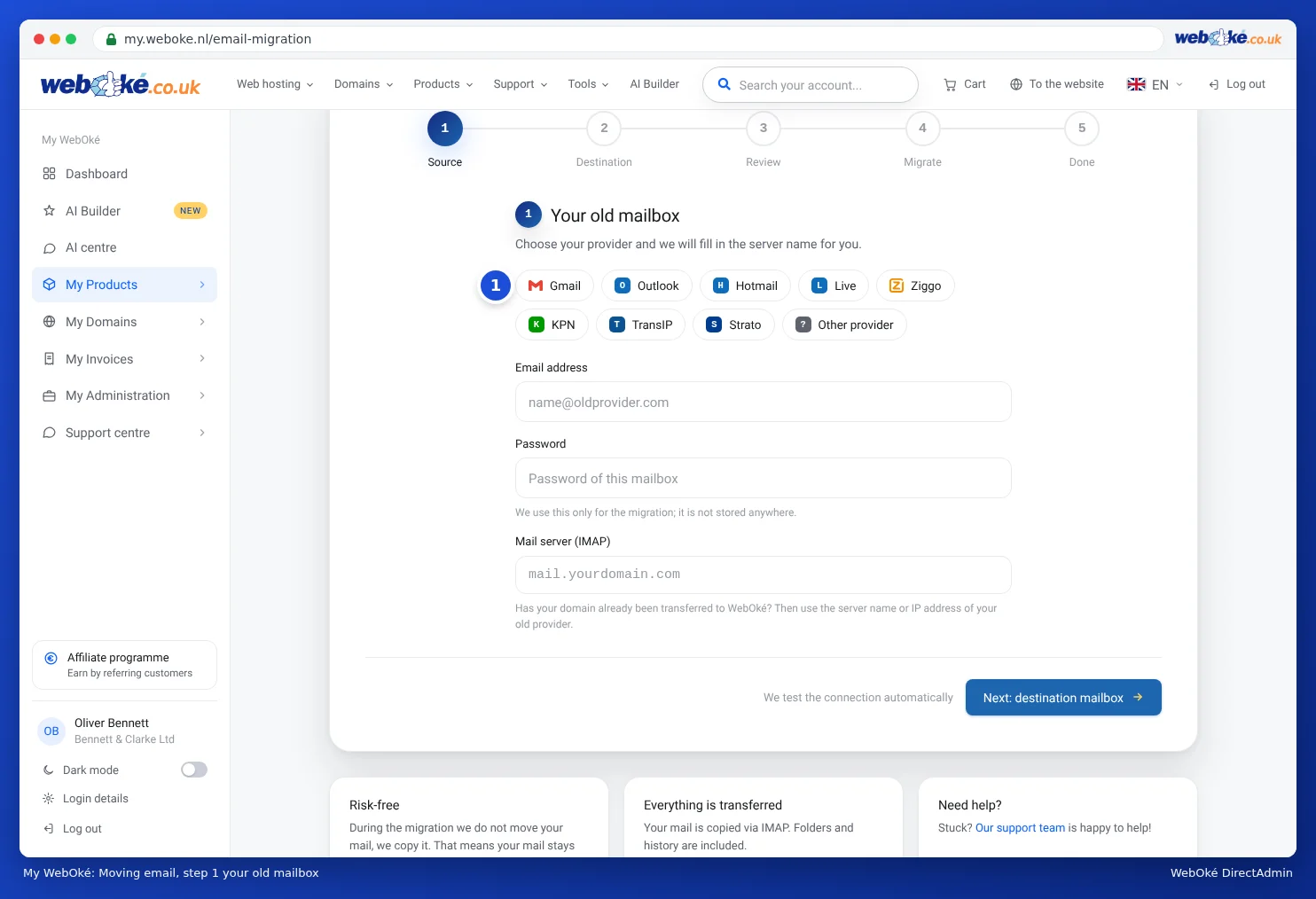
- Bring your mail with you. Copy your Gmail mail to your mailbox at WebOké with Email migration in My WebOké. Choose Gmail as your old provider. You do need an app password from Google for this (see Email migration via My WebOké).
- Bring your contacts and calendar with you. Put them in your WebOké Nextcloud with the WebOké Import Tool (see Transferring Google Drive, Photos, Calendar and Contacts with the WebOké Import Tool), or export and import them with a file (see Transferring your calendar and contacts from Google, iCloud or Outlook (ics and vCard)). Then connect them to Thunderbird (chapter 4).
- Share your new address. Let people and services know that you have a new address. Keep your Gmail open in Thunderbird for a while, so you don't miss anything.
Tip: You can also drag mail from your Gmail account to your WebOké account in Thunderbird itself. That's fine for a few folders. For your entire mail history, Email migration is faster and more reliable: it keeps going when your computer is switched off and skips anything that has already been copied.
Did you use Gmail to fetch mail from your own address?
Gmail is stopping fetching mail from other accounts. If you currently read the mail from your own domain via Gmail, Thunderbird is a good replacement. Read more in Alternatives: webmail, Thunderbird and an email package.