
Chapter 4 · 4.1
Alternatives: webmail, Thunderbird and an email package
You don't have to read your own email address in Gmail or Outlook. Below are the other options, with when each one is useful.
Webmail: in your browser, nothing to install
With webmail, you read and send your email in your browser. It's handy on a computer that isn't yours, when you're on the go, or if you're used to Gmail on your computer and don't want to install a program.
- Go to webmail.weboke.nl.
- Under User Name, enter your full email address.
- Under Password, enter the password for this email address.
- Leave the Server field empty and click LOGIN.
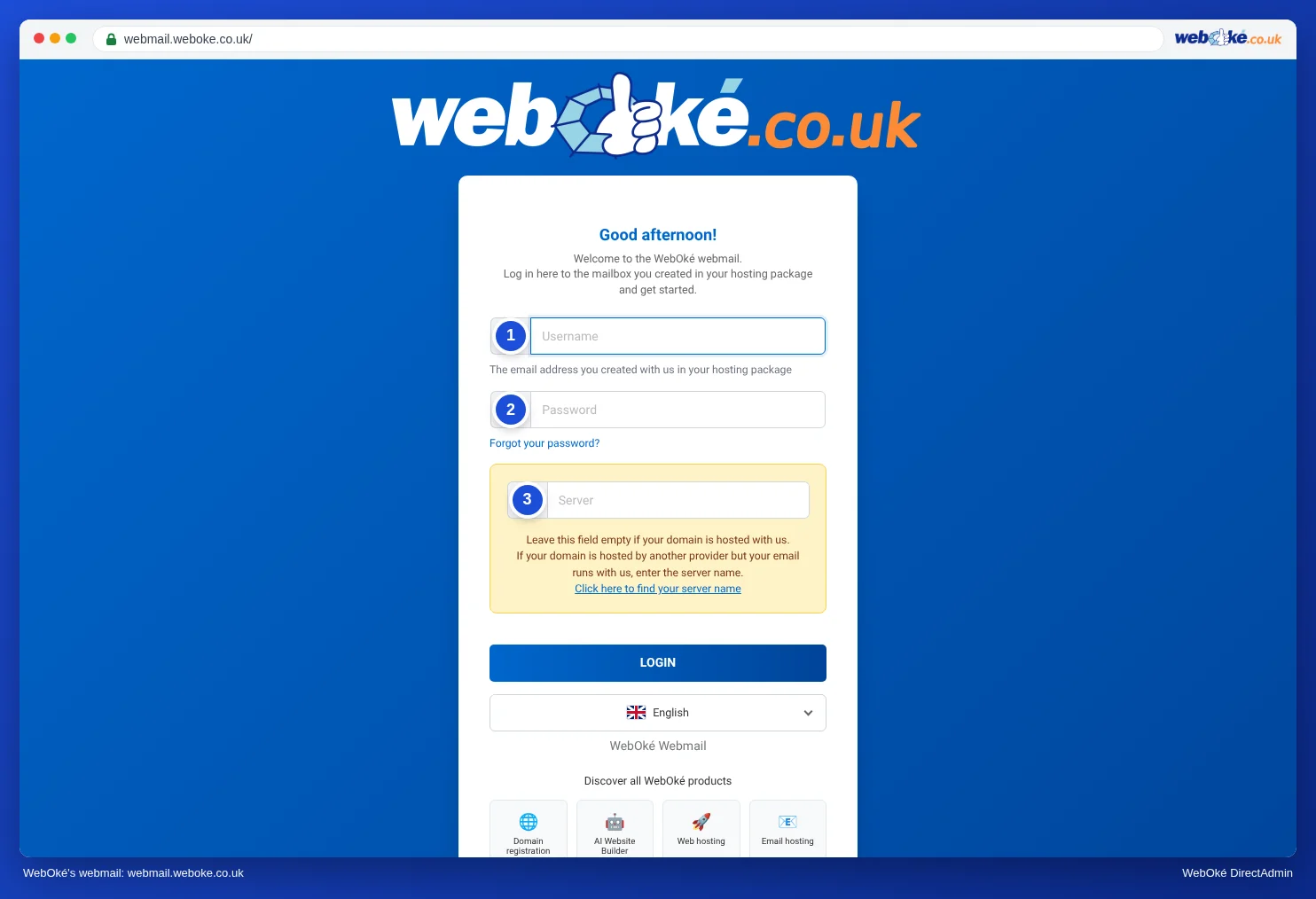
In webmail, you can also set up a signature, an out-of-office reply and filters. See Opening webmail, Creating a signature in webmail and Setting up an out-of-office reply in webmail.
Thunderbird: a free email program for your computer
Thunderbird is a free, open source email program for Windows, Mac and Linux. It fetches your email directly from our server using IMAP. There's no third-party cloud in between. In Thunderbird, you can use several addresses side by side, including your Gmail address. The steps are in Thunderbird.
Your phone's mail app
You can also add your address to the mail app on your phone, such as Mail on the iPhone or Samsung Email. See iPhone and iPad and Android and the Gmail app.
An email package
Do you only have a domain name with WebOké, without a hosting or email package? Then you don't have a mailbox with us. With an email package, you get mailboxes on your own domain, with webmail, that you can use in any email program and any app. If you already have a hosting package, you already have mailboxes and don't need an email package.
Which one suits you?
| You want | Choose |
|---|---|
| To read email on your phone, alongside your Gmail | The Gmail app with IMAP (Adding your email address to the Gmail app) |
| To read email on your computer without installing anything | Webmail |
| An email program on your computer, with no cloud in between | Thunderbird or classic Outlook |
| Everything in Outlook | The Outlook app or Outlook for Windows or Mac (The Outlook app and the new Outlook with your own address) |
Tip: You can also combine them. Because IMAP keeps your email on the server, you'll always see the same email in webmail, in Thunderbird and in the Gmail app on your phone.