
Activate SSL certificate
It's becoming increasingly important to secure your website with a certificate. More and more browsers are showing prominent, alarming warnings when a website without an https connection is visited. In this article, we'll explain how to easily set up the Let's Encrypt certificate so visitors always have a secure https connection to your website.
New domains are automatically provided with an SSL certificate; after +-4 hours an SSL certificate should be active.
DirectAdmin Control Panel
- Open the DirectAdmin control panel, you can do this by going to My Products and clicking the 'DirectAdmin' button there.
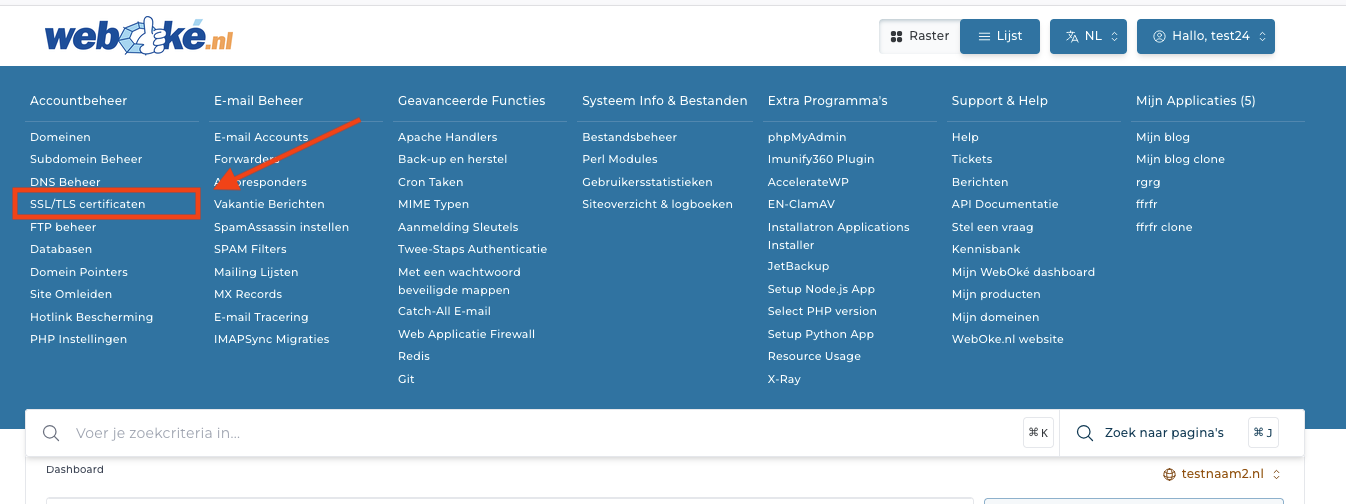
- Click on SSL/TLS certificates
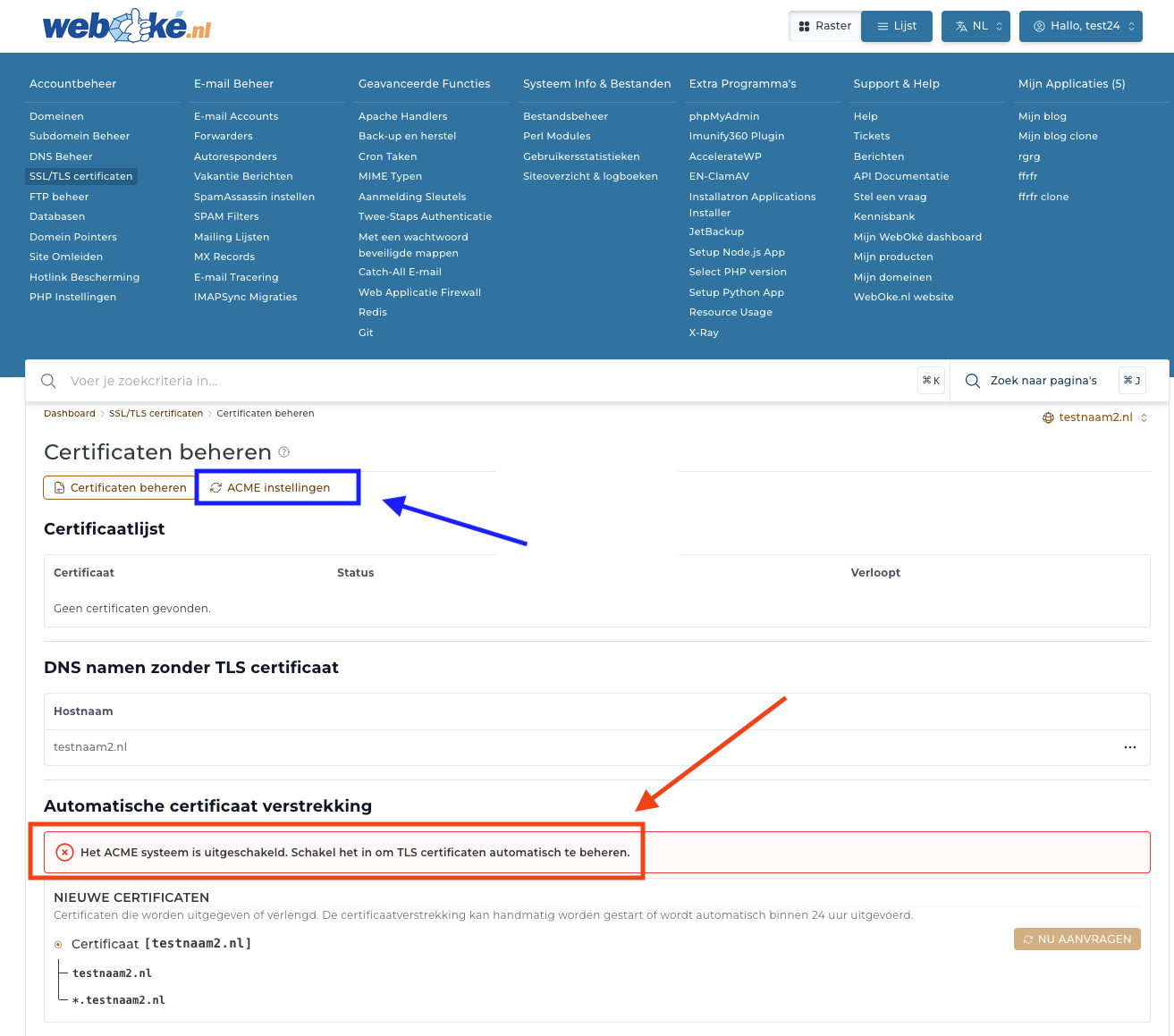
If you don't see the message marked in red, you can click directly on 'Request now' in the bottom right, for new packages this should work immediately.
Do you see the red message? Then click on 'ACME Settings'
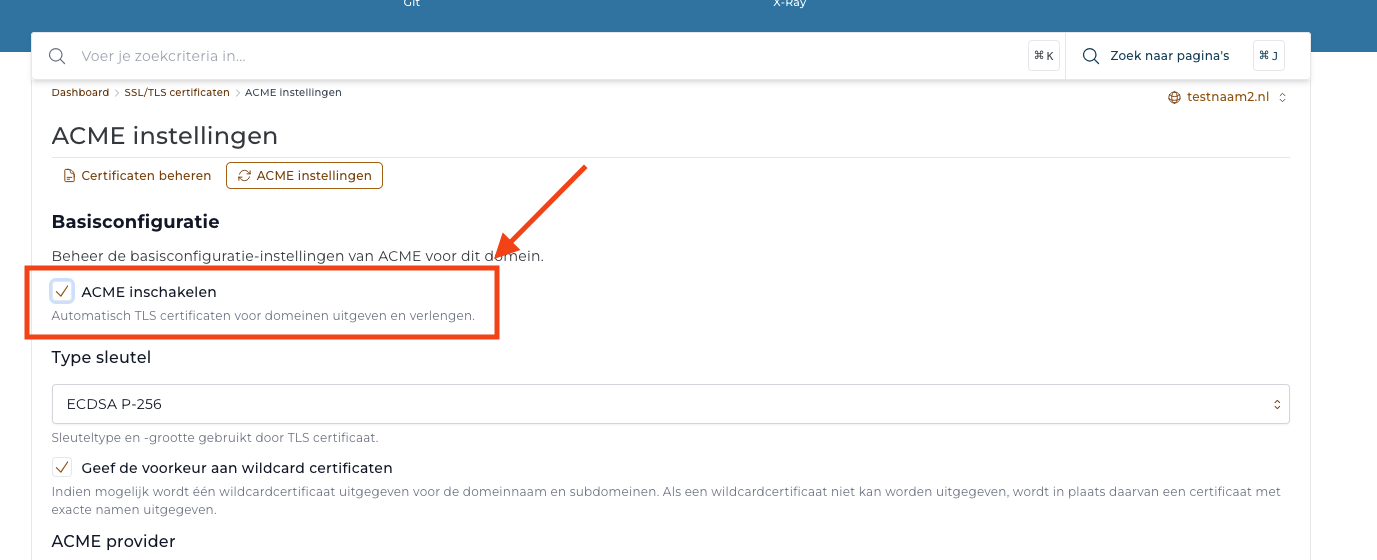
Check 'Enable ACME' here and click 'Save' at the bottom.
Then go back to 'Manage Certificates' and click on 'Request now' below.
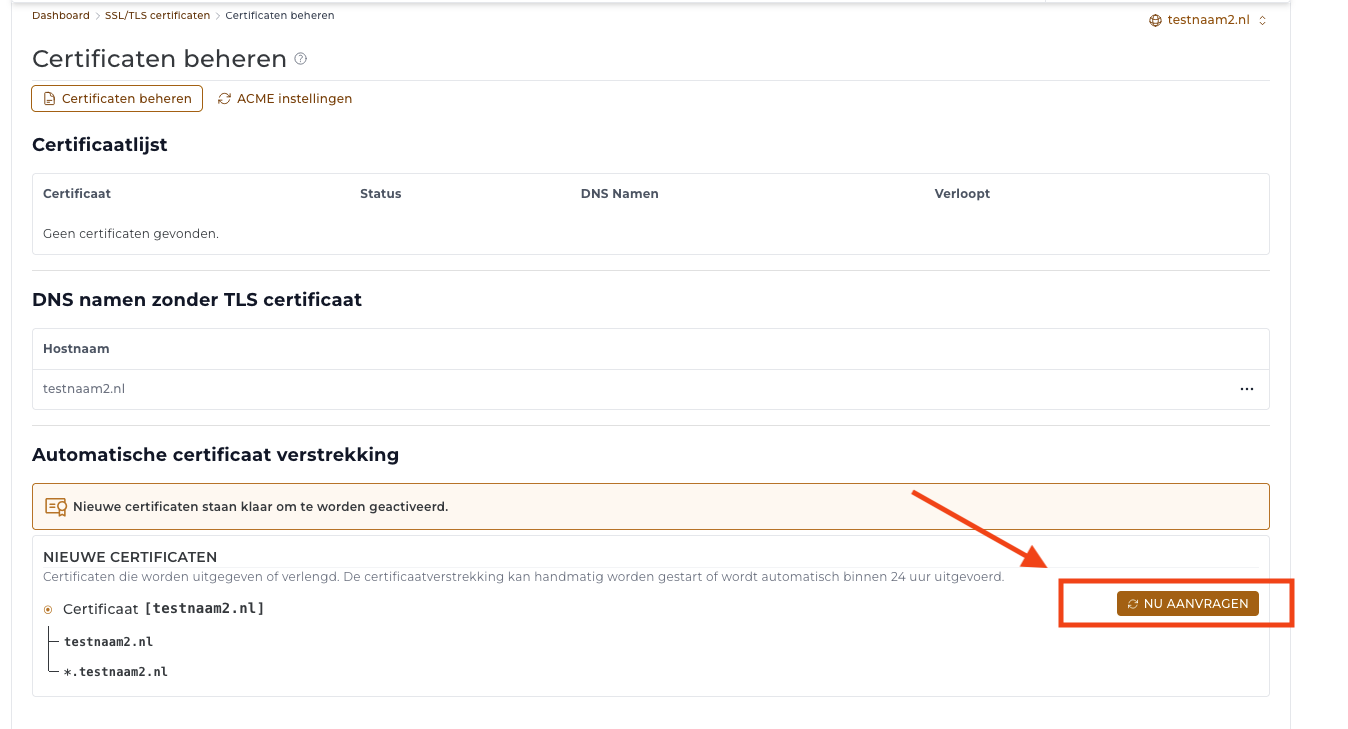
That's it! The request is now running in the background and will be processed automatically.
Please note: the request will only succeed if the DNS points to our server; after DNS changes, a synchronization time of +-4 hours is needed before a certificate can be requested.
