
Sitebuilder and AI Builder: which one should you choose and how do you open it?
Want to build your own website without programming? At WebOké you can choose between the AI Builder and the Drag-and-drop Builder. In this article you'll read about the differences, the costs, how to open the builder and what to do if you get an error message.
Which builder suits you?
- AI Builder: you describe the website you want in plain words. The AI writes the texts, picks the colours and creates the photos. After that, you adjust everything by telling the chat what you'd like to change. You can also have an existing website refreshed. Trying it out is free, even without a package.
- Drag-and-drop Builder: you choose a template and customise every element yourself by dragging and dropping. Handy if you want to place every detail yourself. There's a free version and a paid version with more features.
Prefer WordPress? You can install it yourself in your hosting package, see Installing WordPress.
What does it cost?
- AI Builder: you start for free with one website on an address of ours, such as name.weboke.site. If you want your site on your own domain, without the WebOké badge and findable in search engines, choose an AI Builder package. Current prices are listed on the AI Website Builder page.
- Drag-and-drop Builder: you can add a free version to every domain in a hosting package. How many paid builders you have depends on your hosting package. You can see the number at the top of My Sitebuilders. Compare the packages on Web hosting.
Want more paid builders? Purchase them via My Products: click Manage next to your hosting package and choose the number under Configurable Options.
Opening the builder
You'll find both builders on the same page.
- Log in to My WebOké.
- Click AI Builder in the menu on the left, or go to My Products › My Sitebuilders.
- Choose the AI Builder or Drag-and-drop Builder tab at the top.
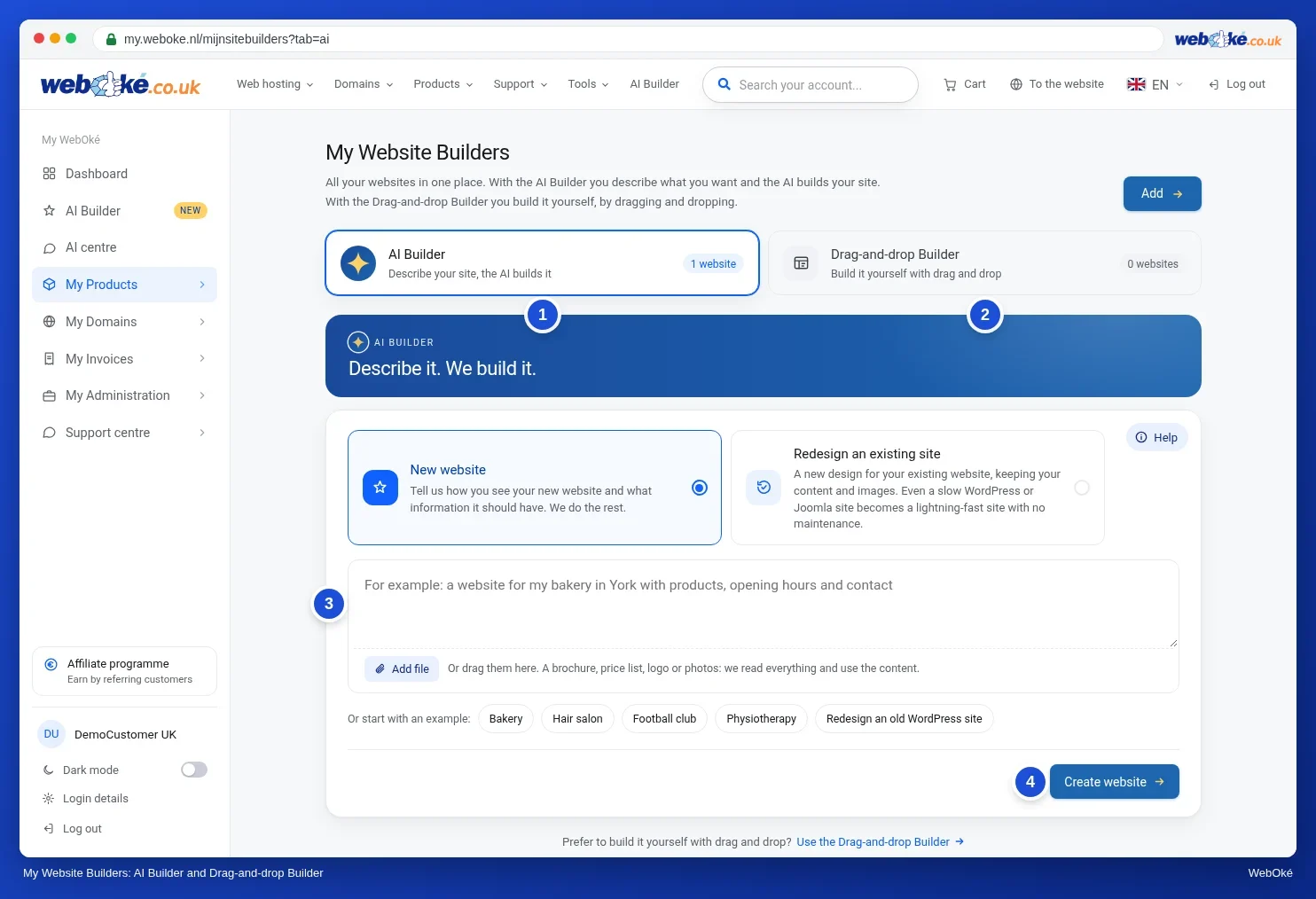
With the AI Builder, you describe your site and click Create website. You can read how it continues in AI Builder: having your website created.
With the Drag-and-drop Builder, you click Add, enter the domain or subdomain (without www) and choose the free or paid version. Then click Start to open the builder in a new tab. With Start demo you can try it out first. All buttons are explained in The drag-and-drop builder. Tips for the AI features in this builder can be found in Building a website with the Drag-and-drop Builder.
Error message when adding or opening
Getting a message with the Drag-and-drop Builder? Here's what the most common ones mean:
- There are no paid Sitebuilders available: all paid builders in your package are in use. Choose the free version, delete a builder you no longer use, or choose a larger package via My Products › Manage › Change hosting package.
- The domain is not hosted in one of your hosting packages or does not point to one of our web hosting servers: the builder only works on a domain that is in one of your hosting packages at WebOké and points to our server. Check your domain with Domain health.
- The subdomain does not exist yet: create it in DirectAdmin first, see Creating a subdomain. Only a single-level subdomain is possible, such as blog.yourdomain.nl.
- Invalid or expired session: refresh the page and try again. If that doesn't work, log out and log back in.
- This sitebuilder is part of a sitebuilder package: with a separate Sitebuilder package you can't change the domain yourself.
If your hosting package has expired or been suspended, the builder won't work either. Check My Invoices to see if there's still an unpaid invoice.
Does the message keep coming back, or do you see Unknown error occurred? Then create a ticket in the Support Center of My WebOké. Include the domain and the message you see.