
A backup of your MySQL database: automatic or do it yourself
You usually don't need to set up an automatic backup of your database yourself. We back up your entire package every night, including your databases. With WebOké Backups you can restore a database from the past 30 days yourself, or download it.
Want your own copy anyway?
- Make an export yourself, for example just before a big change. You can read how below.
- Use your software's backup feature, for example a backup plugin in WordPress or the Installatron backups.
Making a copy yourself
The quickest way is in DirectAdmin:
- Log in to DirectAdmin and under Account Manager, click MySQL Management.
- Click Manage next to the database and scroll to Database Operations.
- Click Export as SQL, or Export as GZ for a smaller, compressed file. The file is saved to the downloads folder on your computer.
Prefer phpMyAdmin? Open phpMyAdmin under Extra Features, click the database on the left, choose the Export tab at the top and click Export. Our phpMyAdmin is in English.
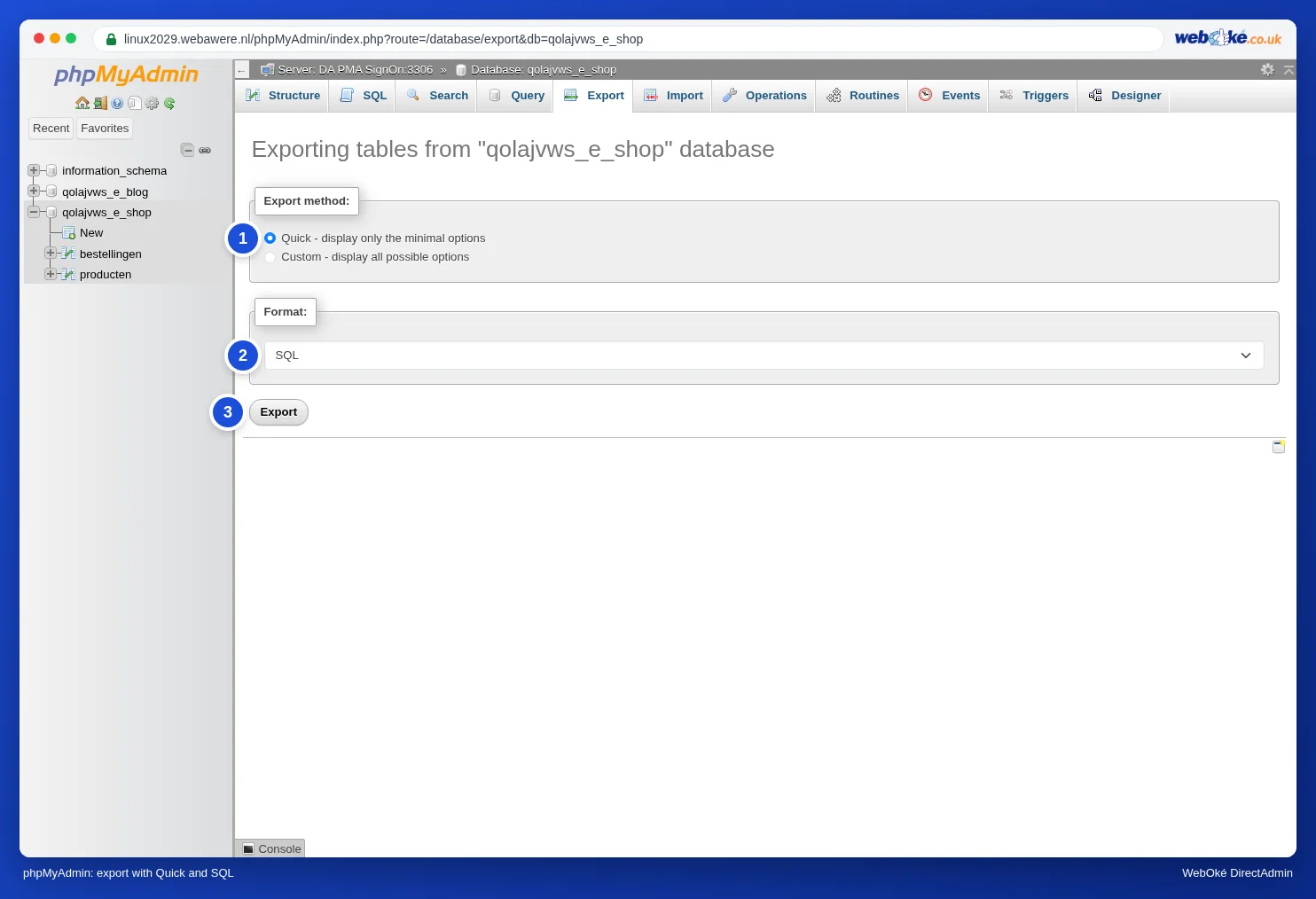
To restore, use Import in phpMyAdmin or Import in DirectAdmin, preferably into an empty database. See Importing a database, including large files.
We advise against having a database emailed automatically. A database can be large and often contains personal data. That doesn't belong unencrypted in a mailbox.
See also in the DirectAdmin manual: Which backups WebOké provides and Can I also do this in My WebOké? WebOké Backups.
Detailed explanation with screenshots: Exporting a database in the DirectAdmin manual.