
Chapter 4 · 4.1
A and AAAA records in My Domains
Do you want to reach a website or app on your VPS by name, such as www.example.com or status.example.com? Then you point that name to the IP address of your VPS. You do this with two DNS records:
- an A record pointing to your IPv4 address, for example
203.0.113.10; - an AAAA record pointing to your IPv6 address, for example
2001:db8::10.
You'll find both addresses on your VPS screen.
Your domain is with WebOké
- In My WebOké, go to My Domains and click the DNS tab. Choose your domain.
- Click + Add record.
- Choose A as the Type.
- Under Name, enter the subdomain, for example status. For the domain itself, type @.
- Leave the TTL at 1 hour.
- Enter the IPv4 address of your VPS and click Save record.
- Do the same with the type AAAA and your IPv6 address.
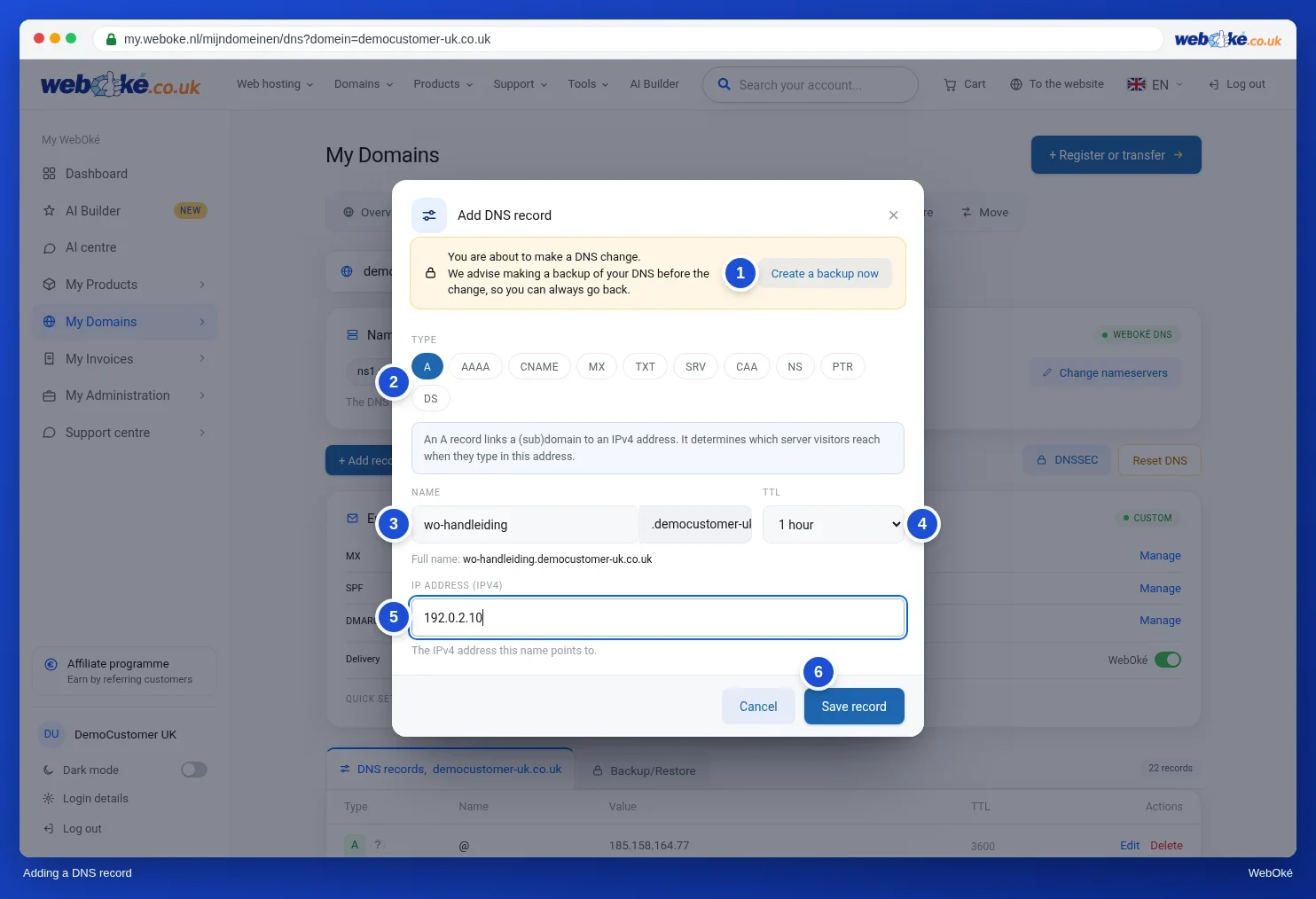
For more on adding, changing and deleting records, see Managing DNS: adding, changing and deleting records.
Tip: Is there already an A record for that name, for example for @ or www pointing to your hosting package? Then change that record with Edit instead of adding a second one. Two A records for the same name send visitors randomly to one server or the other.
Your domain is somewhere else
Does your domain use other nameservers, such as Cloudflare's? Then create the same A and AAAA records there. See DNS in My WebOké and with external nameservers such as Cloudflare.
One name per service
Running several apps on your VPS? Give each app its own subdomain: status.example.com for Uptime Kuma, kluis.example.com for Vaultwarden. The web server (Caddy or nginx) sends each name to the right app (see An app behind a reverse proxy).
Checking
A new record usually works within a few minutes. A changed record can take as long as the old TTL. Check for yourself with dig or nslookup:
dig +short status.example.com A
203.0.113.10
dig +short status.example.com AAAA
2001:db8::10
On Windows, use nslookup status.example.com. More about these tools: Querying DNS with dig and nslookup.
Please note: Don't add an AAAA record if your service can't be reached over IPv6, for example because your firewall blocks IPv6. Visitors with IPv6 will then get an error, even though it works fine for you.